PH
PHw41k3r2195
Established
10Mbps sakin as of now ang sagad sa Byte Graph
hindi abot fiber yan 699 samin sa provinceMay fiber nmn na ngayon na 699. Di na sulit mga cellular Internet.

buti pa sayo, after 5gb consume sakin 3mbs cap na.10Mbps sakin as of now ang sagad sa Byte Graph
hirap naman sa fiber pag na sira or loss connection na my bayad pa repair tulad ng gomo fiber my 15 days pa bago ma expired un nga nga naMay fiber nmn na ngayon na 699. Di na sulit mga cellular Internet.
wala na ata kase unli si Dito kaya ganyan. dati meron din sila 299 eh.pag may mga new promo kasi na update dina bago sakin na babagal ang Unli
sakin lods di ko naranasan na magbagal pag pa expire na. nagbabagal lang pag may maintenance etc.Pag bagong register doon malakas pero kapag pa expire na dun nabagal ilang beses ko na yan naencounter
ganon ba sayang, 4g lang sa area ko.Mas okay yung may free unli 5g , walang speed capping , swerte kung okay yung 5g sa area nyo ,
gagana naman sa win11 din gamet koMy update bah kayo adb driver at Huawei driver, ayaw kasi sa windows 11
Ayaw gumama ng drivers sa win 11 kogagana naman sa win11 din gamet ko
temporarily disable mo muna driver signature enforcement ganyan genagawa ko saka uninstall then install again ang driverAyaw gumama ng drivers sa win 11 ko
San mkikita femporarily disable signature?temporarily disable mo muna driver signature enforcement ganyan genagawa ko saka uninstall then install again ang driver
pwedi sa cmd saka sa safemodeSan mkikita femporarily disable signature?
Method 1: Using Startup Settings
Restart your computer: Go to the Start Menu, click on the Power icon, and then select "Restart."
Hold Shift during restart: Press and hold the Shift key as you click "Restart."
Choose Troubleshoot: After the computer restarts, you'll see the "Choose an option" screen. Select "Troubleshoot."
Select Advanced options: Choose "Advanced options."
Select Startup Settings: Choose "Startup Settings."
Click Restart: Click the "Restart" button.
Press F7 during startup: When your computer restarts, you'll see a list of options. Press F7 to select "Disable driver signature enforcement."
Install the driver: Once the computer restarts, you can install your unsigned driver.
Method 2: Using Command Prompt (bcdedit)
Open Command Prompt as administrator: Search for "cmd" in the Start Menu, right-click on Command Prompt, and select "Run as administrator."
Type the command: Enter the following command and press Enter: bcdedit /set testsigning on.
Restart Windows: Restart your computer for the changes to take effect.
Re-enable (after installation): To re-enable driver signature enforcement, run the command bcdedit /set testsigning off after the installation.
Thanks try ko mamyspwedi sa cmd saka sa safemode
ayaw tlaga boss.. stuck sya sa erase flashpwedi sa cmd saka sa safemode
conflict na mga driver nyan need muna gawin sa ibang unit o kaya reformatThanks try ko mamys
ayaw tlaga boss.. stuck sya sa erase flash
ok thanks bagong bili ko kasi tong laptopconflict na mga driver nyan need muna gawin sa ibang unit o kaya reformat
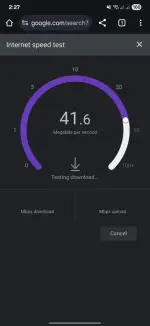
na cap lods after 5gb consume mo, kaya magbabagal na sya, nagiging 3mbs na lang.Bat sakin ok naman google test. Pero pag nanonood Minsan nag babuffering na.
View attachment 3719686