PH
PH
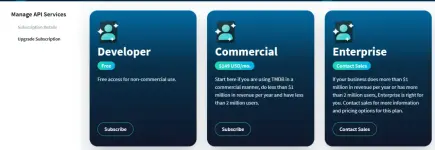
STEP 1: How to Create account and get Api Key in TMDB(The Movie Database)
Go to this Link: https://phcorner.org/threads/step-1...mdb-the-movie-database.2278643/#post-29952518
STEP 2: How to create account and host your Website in GitHub
Together with Step 1.
STEP 3: How to deploy website to Cloudflare using GitHub
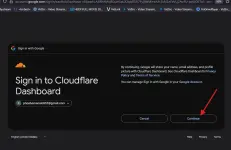
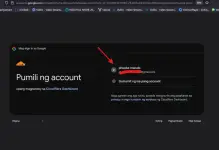
1.) Create account here: You do not have permission to view the full content of this post. Log in or register now. , Much better use gmail. Use Mozilla firefox, meron ata problema sa chrome kapag sa cloudflare not sure.
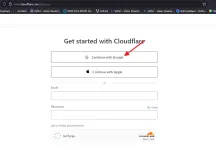
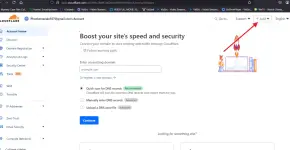
2.) After signing up, Click "+" sign(top right)
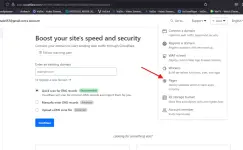
3.) Select and click "Pages"
4.) Select "Connect to Git"
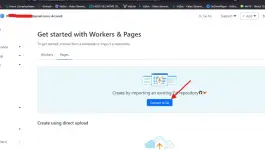
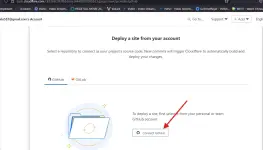
5.) Select "Connect to GitHub"
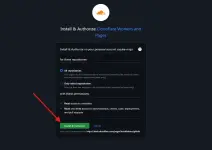
6.) Next is Click "Install & Authorize"
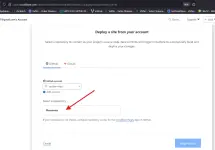
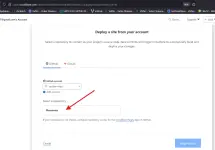
7.) You will be redirected back to Cloudflare, Under "Select a repository", select your created repository (example flixmovies) then click "Begin setup"
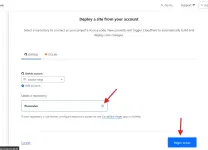
8.) You will be transferred to "Set up builds and deployments", under "Build output directory", input the folder name from GitHub (my-website)
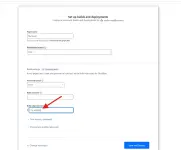
9.) Click "Save and Deploy"
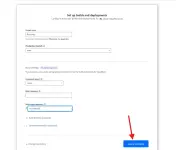
10.) You will be transferred to "Building and deploying", Wait for the website to be deployed within a minute(make sure all are checked, kasi kung may error, meron mali sa ginawa mo, hindi mo nasundan ng tama).
If you see "Success! Your project is deployed to Region: Earth". You can now preview your project. click the link. (example movieflix.pages.dev).
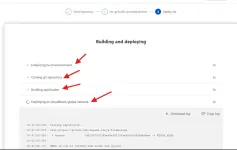
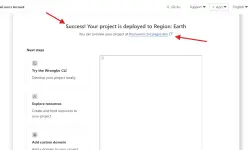
11.) Upon clicking the link, wait 10-30 mins for the cloudflare to be totally deploying your website. Please be patience.
Enjoy!
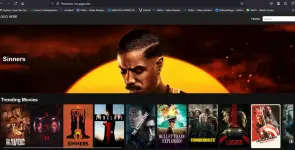
STEP 4: Use your own TMB API Key
1.) Go to your github account, select your own created repository (example flixmovies)
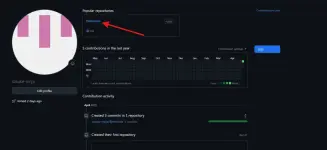
2.) Click "my-website" folder, open "js" folder and click "home.js"
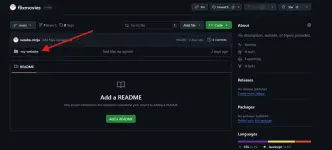
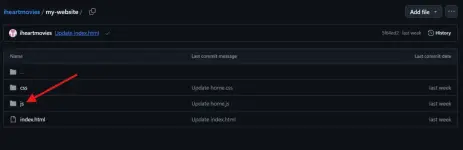
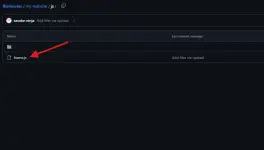
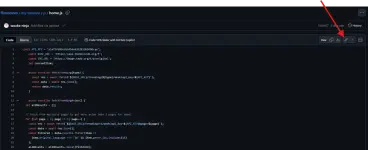
3.) Click "Edit this file(pencil style)" to edit your home.js
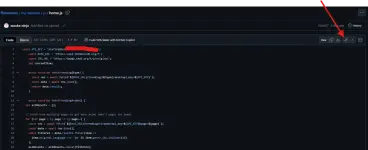
4.) Find this line: const API_KEY = 'a1e72fd93ed59f56e6332813bxxxxxxx'; change a1e72fd93ed59f56e6332813bxxxxxxx to your own API KEY which you get from TMDB.
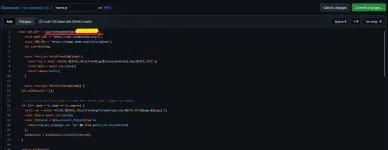
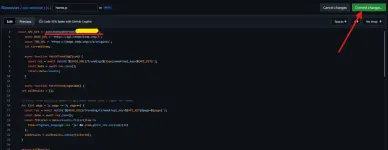
5.) Upon changing, Click "Commit Changes" to save.
Sa mga may tanong, comment nyo lang sa baba, i will do my best para makatulong, hindi ako expert. Meron tayo mga expert dito na pwede din mag guide.
Wala din ako alam nung una sa ganito pero nagka interest ako, yung codes ng website is kinailangan ko ang tulong ni ᑕᕼᗩTGᑭT

NOTE: Simpleng Website lang po yan na automatic na ang fetching ng movie data and video source. Custom nyo nalang para may kanya-kanya kayo uniqueness. Yung layout sa website, sa github nyo icustom dun sa css folder sa mga gusto magcustomize.
PANO KUMITA GAMIT ANG WEBSITE NA ATING GINAWA?
- sa pamamagitan ng mga adnetwork tulad ng mga sumusunod: (popads, adsterra, moneytag etc. )
STEP 5: Gamitin natin si Popads which is low min. widthraw of 5$ and easier gamitin.
1.) Sign up here first: You do not have permission to view the full content of this post. Log in or register now.
2.) Fill up the following and hit Register
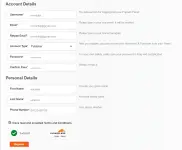
3.) Upon success register, an email will be sent to you. you need to activate it.
4.) After activating your account. go to Home and login
5.) After login, you will directed to Dashboard.
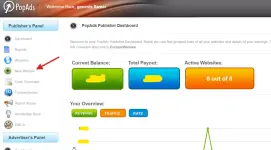
6.) Click New Website(left side), Fill up the the following and click "Add Website"
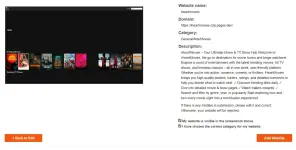
7.) You will be directed to this page, check the 2 box below and click "Add Website"
8.) After that you're is now for approval. Please wait (Maximum is 3 days),
Note: minsan mabilis ang approval nila. iemail naman nila kayo.
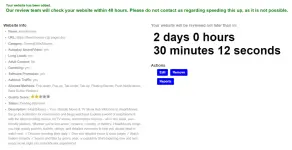
9.) After you're Approval, Go back to popads Dashboard.
10.) Click "Code Generator", you will directed here(check below), if hindi nyo alam lagyan mga yan. wag nalang muna galawin. settings yan ng Ads nyo.
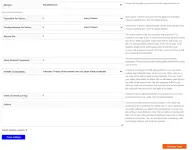
11.) Click "Generate Code", you will be given a code like below
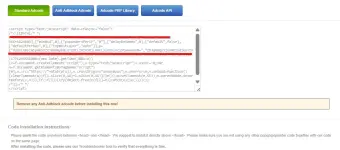
12.) Copy that code and save in a notepad.
13.) Next is go to Github, Click index.html and click "Edit this file"
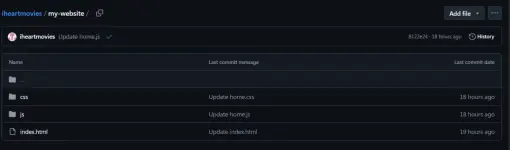
14.) Paste code before </head>, as shown below.
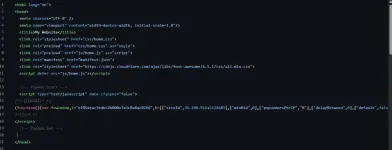
15.) Next is click "Commit Changes". Wait for a minute then check your website. You will notice Ads appearing like popunder when you click anywhere or a banner floating in your website.
16.) Last and very Important is you need to advertise or ikalat ang website nyo. Other use facebook (reels or post), some use "ok. ru", and other social media like twitter(X now) etc. Goodluck everyone and sana pumaldo kayo. Share nyo rin ibang way nyo ng pag advertise para hindi lang kayo ang paldo.
CHANGE LOG IN WEBSITE FILES:
1.) Updated Website file
-Add Mobile display
-adjust modal popup
-adjust search in mobile display
-add footer
-adjust banner in mobile display
-used original quality for poster and banner to avoid blurred