PH
PHPHC SILENCED
Forum Veteran
KRISP 2.46.11 NEW LINK
FAQs
Spoiler contents are visible only to Established Members.
Step 2: Install Krisp AI
For Windows ONLY (NONE FOR MAC YET):- Run the downloaded KrispSetup.exe file.
- Follow the on-screen instructions to install Krisp.
- Navigate to Krisp’s Installation Folder:
- Go to C:\Program Files\Krisp\app-2.46.11\resources\app\.webpack\main
- Replace the index.js File:
- Copy the new index.js file from the installation file.
- Paste it into the folder above and replace the existing index.js file.
- Sign in or create a Krisp account.
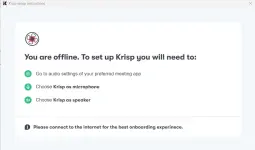
- Select your microphone and speaker devices in Krisp.
- In your communication apps (Zoom, Skype, etc.), select Krisp Microphone and Krisp Speaker.
- Test Krisp with a Call:
- Open your preferred communication app (Zoom, Skype, Teams, etc.).
- Start a call and ensure that you have selected Krisp Microphone and Krisp Speaker in the audio settings of the app.
- Check the Trial Timer:
- Open Krisp app under system tray to see if the trial timer is frozen. If the timer is still counting down, the installation or the steps have not been fully successful.
- If the trial timer is frozen, it means the installation was successful, and mod is working correctly.
- If the Timer Is Not Frozen:
- Consider checking if the index.js file was replaced correctly in the installation folder as mentioned in the additional steps.