PH
PHKey Features of Tera Tool V1.0.2.7
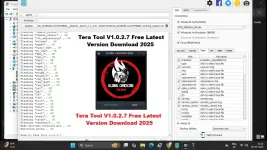
Tera Tool is packed with essential features to simplify mobile repair and software management. Some of its core capabilities include:- FRP Removal: Easily bypass Factory Reset Protection on supported devices.
- Firmware Flashing: Install or update the firmware on various smartphones.
- Factory Reset: Reset devices to their default state without needing a password.
- Bootloader Unlocking: Unlock and relock bootloaders for customization.
- Backup & Restore: Secure essential data such as EFS, NV partitions, and security credentials.
- Multi-Brand Support: Works with devices powered by MediaTek, Qualcomm, Xiaomi, Samsung, and Huawei chipsets.
Supported Brands and Models:
- Tera Tool V1.0.2.7 supports a wide range of mobile brands, making it a go-to tool for smartphone repair professionals.
MediaTek (MTK) Devices:
- Read and write firmware files
- Remove FRP locks
- Unlock bootloaders
- Factory reset and partition repair
Qualcomm Devices:
- Read device information
- Backup & restore EFS and security partitions
- Remove FRP and reset the device
- Flash stock ROMs
Xiaomi Devices:
- Bypass Mi Account lock
- Flash stock firmware
- FRP removal
- Factory reset via ADB/Fastboot
Samsung Devices:
- FRP bypass using MTP method
- Download mode flashing
- Add Arabic language support (Android 9-13)
- ADB-based advanced repair functions
Huawei Devices:
- COM 1.0 method for reading and writing firmware
- FRP removal
- Temporary bootloader unlocking
- Factory reset and repair options
How to Use Tera Tool V1.0.2.7
Using Tera Tool V1.0.2.7 is simple and requires just a few steps:Download and Install
- Download the latest version of Tera Tool from the official source.
- Extract the compressed file to a secure folder on your computer.
- Temporarily disable antivirus software to prevent interference during installation.
- Ensure that the necessary USB and chipset drivers (MTK, Qualcomm, Samsung, etc.) are installed.
- If drivers are missing, install them manually from the provided driver pack.
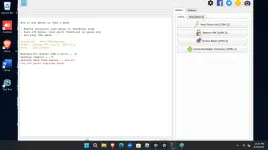
- Run the Tera Tool executable file and wait for the interface to load.
- Connect your device using a quality USB cable.
- Choose the specific task you need to perform (e.g., FRP removal, flashing, unlocking bootloader).
- Follow on-screen instructions and confirm the operation when prompted.
- The tool will display a progress bar.
- Once finished, restart your device and verify the changes.
Conclusion
Tera Tool V1.0.2.7 is an essential tool for mobile repair professionals and advanced users looking for an efficient way to manage smartphone software issues. With support for multiple brands and chipsets, this tool simplifies flashing, unlocking, and bypassing security locks. If you're dealing with a locked or malfunctioning device, Tera Tool can help restore it to full functionality in just a few clicksDirect Link
You do not have permission to view the full content of this post. Log in or register now.
You do not have permission to view the full content of this post. Log in or register now.
Mirror Link
You do not have permission to view the full content of this post. Log in or register now.
You do not have permission to view the full content of this post. Log in or register now.