 PH
PHitsnotmegab
Leecher
Hello mga master ask lang. Paano kaya gumawa ng OMADA CLOUD CONTROLLER. thank you!
Possible kaya ako sir makagawa ng sarili kong cloud server?Pwede sa VPS, ganyan setup ko. You do not have permission to view the full content of this post. Log in or register now.
Opo need mo ng vps. Pwede din desktop/ laptopPossible kaya ako sir makagawa ng sarili kong cloud server?
Paano po yun sir yung desktop? buhay palagi dapat? pwede po ba orange pi gamitin as desktopOpo need mo ng vps. Pwede din desktop/ laptop
Yes and yesPaano po yun sir yung desktop? buhay palagi dapat? pwede po ba orange pi gamitin as desktop
Sir meron po kaya kayong tuts dyan na pwede mapagaralan ang patternYes and yes
via docker (install mo muna docker at docker compose)Sir meron po kaya kayong tuts dyan na pwede mapagaralan ang pattern
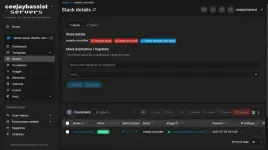
baka pwede maki sabit bossPwede sa VPS, ganyan setup ko. You do not have permission to view the full content of this post. Log in or register now.
Marami nang eap na nakalagay dyan boss tas 2gb ram lang yanbaka pwede maki sabit boss
kaya po ba boss sa vps omada ang 1gb ram?Marami nang eap na nakalagay dyan boss tas 2gb ram lang yan
boss pa help po, naka vps po ako ngayon sa omada controller ko, pero kahit ang status nya ay running after mga 20 hours Ganun, biglang nag ooffline omada controller sa omada cloud ko kahit active ang status ng vps and omada controller koMarami nang eap na nakalagay dyan boss tas 2gb ram lang yan
anong ginamit mo? yung linux controller ba o yung dockerized version? yung docker gamit ko --> You do not have permission to view the full content of this post. Log in or register now.boss pa help po, naka vps po ako ngayon sa omada controller ko, pero kahit ang status nya ay running after mga 20 hours Ganun, biglang nag ooffline omada controller sa omada cloud ko kahit active ang status ng vps and omada controller ko
You do not have permission to view the full content of this post. Log in or register now. eto poanong ginamit mo? yung linux controller ba o yung dockerized version? yung docker gamit ko --> You do not have permission to view the full content of this post. Log in or register now.
Pero up naman VPS? Non-docker gamit ko ok naman kahit pabayaan ko na VPS. Hindi nag dodownboss pa help po, naka vps po ako ngayon sa omada controller ko, pero kahit ang status nya ay running after mga 20 hours Ganun, biglang nag ooffline omada controller sa omada cloud ko kahit active ang status ng vps and omada controller ko
oo up poPero up naman VPS? Non-docker gamit ko ok naman kahit pabayaan ko na VPS. Hindi nag dodown
Balikan ko lang to at magpapasalamat Ako ng husto .grabe income ng Piso wifi ko Ngayon dahil Dito solid.salamat sirvia docker (install mo muna docker at docker compose)
mas madali kasi updating sa docker...
yan gamit ko..nagswitch ako from OC200 to Software Controller, sobrang bagal na kasi ng response ni OC200 dahil mabigat na yung updates.
You do not have permission to view the full content of this post. Log in or register now.
Eto yung mga gamit ko: You do not have permission to view the full content of this post. Log in or register now.
View attachment 3844318