 PH
PH
What are R-Drive Image’s features?
R-Drive Image’s bread and butter is creating drive and partition images — i.e. copies of everything contained on a disk or one of its subdivisions, including boot records. It creates full (all data), incremental (all data changed since the last image), or differential (all data changed since the original full image) types.
The resulting images can be in R-Drive Image’s own format as well as the more common Microsoft VHD/VHDX formats. You do not have permission to view the full content of this post. Log in or register now. support VMDK.
The program will also verify said images, restore them whole, copy disk-to-disk (cloning), and mount its proprietary images as virtual disks that you can browse and recover individual files and folders using Windows Explorer. Note that Windows itself can mount VHD/VHDX formats, but R-Drive will mount those as well.
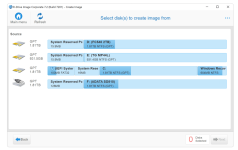
Most users only need to image an entire drive or partition once in a while for disaster recovery. Hence, R-Drive Image will also create the same type of image container from selected groups of files or folders.
You can’t use file and folder images for disaster recovery as they don’t contain all the partition and boot information, but they do allow for fast backup of your essential data, reducing storage requirements and backup times drastically. Note that any task can be saved and reused.
As far as drive file formats, R-Drive Image understands Microsoft’s FAT (16/32), NTFS, and exFAT; Apple’s HFS/HFS+, and APFS; as well as the Little and Big Endian variants of UFS1/UFS2 and Ext2/Ext3/Ext4 FS (Linux), and ReFS.
Other file systems are supported on a byte-by-byte (all sectors are backed up — containing data or not) basis with no preview or file-level access from within the program, only wholesale restore. R-Drive Image also supports hardware RAID (as single volumes) and software RAID: Windows, Apple, and Linux mdadm.
For disaster recovery, R-Drive Image creates WindowsPE (Windows 10 Pre-install Environment) and/or Linux-based boot discs. The former lets you boot on some systems with Secure Boot enabled in the BIOS.
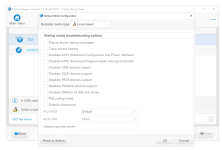
R-Drive supports optical for both boot media and backup. That’s becoming rare outside of enterprise.
You do not have permission to view the full content of this post. Log in or register now.