 PH
PHdancerocker
Established
The Internet Download Manager Resuming Tips
Having error messages in the middle of big downloads and wont resume?
..from sites like Mediafire? Pornhub? or any other "unresumable" download sites?
HERE IS A SOLID SOLUTION
NOTE: I didn't include a sample web page's screenshot to avoid confusion (i think) because of different download method (IDM button on streaming video/audio web page & Standalone button on file hosting sites)
#1. Download Error
A lot of file hosting or video streaming sites change their url or web address of the source DL link from time to time.
When a download stopped itself, IDM will pop an error massage that will ask you to open your download's page. (continue to #2)
This problem usually occurs when your internet is slow, where downloads "timed out"
#2. Renewing the Address
In an event of a black out, or the error message didn't pop, or you just wanna stop it and continue later. here's what you gotta do
Rename/replace the failed download address on IDM by following these steps
1. Open IDM
2. Right Click to failed download.
3. Click properties .
4. "File Properties" window will open, Click link under "The web page from which this file was obtained".
5. Your browser will load the page where you download the file you want to resume.
6. After loading the page.. download your file. (click download)
7. The "Download File Info" window will open (the prompt window whenever you download)
8. DO NOT click "Start Download", COPY url & close.
9. Go back to your file's "File Properties" window and replace "address" to the link you copied.
10. Press OK, right click to file, and click "resume download"

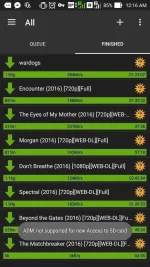
THERE YOU GO.. This trick also works on ADM or Android Download Manger. i-explore nyo na lang, halos pareho naman eh.
end_
Having error messages in the middle of big downloads and wont resume?
..from sites like Mediafire? Pornhub? or any other "unresumable" download sites?
HERE IS A SOLID SOLUTION
NOTE: I didn't include a sample web page's screenshot to avoid confusion (i think) because of different download method (IDM button on streaming video/audio web page & Standalone button on file hosting sites)
#1. Download Error
A lot of file hosting or video streaming sites change their url or web address of the source DL link from time to time.
When a download stopped itself, IDM will pop an error massage that will ask you to open your download's page. (continue to #2)
This problem usually occurs when your internet is slow, where downloads "timed out"
#2. Renewing the Address
In an event of a black out, or the error message didn't pop, or you just wanna stop it and continue later. here's what you gotta do
Rename/replace the failed download address on IDM by following these steps
1. Open IDM
2. Right Click to failed download.
3. Click properties .
4. "File Properties" window will open, Click link under "The web page from which this file was obtained".
5. Your browser will load the page where you download the file you want to resume.
6. After loading the page.. download your file. (click download)
7. The "Download File Info" window will open (the prompt window whenever you download)
8. DO NOT click "Start Download", COPY url & close.
9. Go back to your file's "File Properties" window and replace "address" to the link you copied.
10. Press OK, right click to file, and click "resume download"
THERE YOU GO.. This trick also works on ADM or Android Download Manger. i-explore nyo na lang, halos pareho naman eh.
end_
 Merry Christmas