PH
PHWeb UI : You do not have permission to view the full content of this post.
Log in or register now.
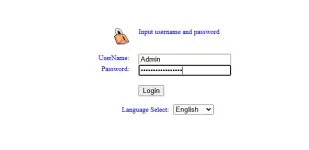
Login Credentials (LOCAL ACCOUNT)
USER : User
PASS : User
Login Credentials (ADMIN ACCOUNT)
USER : Admin
PASS : Converge@yotc123
Steps to ENABLE the LAN ports
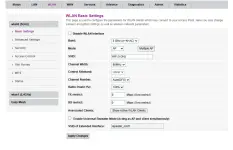
Steps to INCREASE the WLAN ACCESS LIMIT
NOTICE:
Once you restarted or rebooted your router/modem, all configuration will revert back to its original values, except for the User Login Credentials.
in short, kapag namatay ang router/modem, mamatay na din ang LAN Ports & WLAN Access Limit to 8 users.
Login Credentials (LOCAL ACCOUNT)
USER : User
PASS : User
Login Credentials (ADMIN ACCOUNT)
USER : Admin
PASS : Converge@yotc123
Steps to ENABLE the LAN ports
- Login using the Admin account to the WEBUI
- Select the LAN section
- Enable the LAN1 & LAN2
Steps to INCREASE the WLAN ACCESS LIMIT
- Login using the Admin account to the WEBUI
- Select the WLAN section
- Select the WLAN Access limit option
- Enter the maximum number of user limit then apply changes
NOTICE:
Once you restarted or rebooted your router/modem, all configuration will revert back to its original values, except for the User Login Credentials.
in short, kapag namatay ang router/modem, mamatay na din ang LAN Ports & WLAN Access Limit to 8 users.