 PH
PH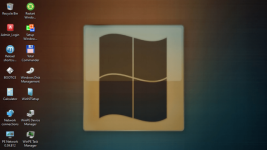
WinPE 10/11 MCBoot Pro VN Version 10.8.170125
In today’s digital landscape, optimizing computer systems for maximum efficiency and productivity has become crucial. One powerful tool that has gained immense popularity among IT professionals is WinPE MCBoot. In this article, we will explore the capabilities, benefits, and implementation of WinPE MCBoot, focusing on how it can revolutionize your computing experience. Whether you’re a seasoned IT expert or a curious enthusiast, this guide will provide you with a comprehensive understanding of WinPE MCBoot.
Section 1: What is WinPE MCBoot?
WinPE MCBoot, short for Windows Preinstallation Environment Multi-Config Bootloader, is a versatile tool designed to create a lightweight Windows-based environment that can be booted from a USB drive or a network. It allows users to perform various tasks, such as system diagnostics, data recovery, system imaging, and more, without needing a full Windows installation.Section 2: Key Benefits of WinPE MCBoot
- Enhanced System Maintenance: With WinPE MCBoot, IT professionals can efficiently troubleshoot and repair computer systems without needing to access the primary operating system. This lightweight environment provides many tools and utilities, making it ideal for system maintenance and recovery tasks.
- Streamlined Deployment: WinPE MCBoot simplifies deploying operating systems, software, and updates across multiple devices. IT administrators can create custom WinPE images with pre-configured settings and drivers, allowing faster and more consistent deployments and minimizing downtime.
- Data Recovery and Backup: WinPE MCBoot includes powerful data recovery and backup operations tools. It enables users to access and copy files from malfunctioning systems or recover data from accidentally deleted or formatted drives. This feature proves invaluable for IT professionals dealing with data loss situations.
- Portable and Versatile: WinPE MCBoot’s ability to run from USB drives or over the network makes it highly portable and versatile. It eliminates the need for bulky external drives and allows easy deployment across multiple devices in diverse computing environments.
| You do not have permission to view the full content of this post. Log in or register now. | 3.2 GB | 2025-02-04 |