 PH
PH
File size: 2.1 MB
Introducing StartAllBack: Windows 11 from better timeline, Embrace, enhance, unsweep classic UI from under the rug.
Restore and improve taskbar
Show labels on task icons
Adjust icon size and margins
Move taskbar to top, left or right edges
Drag and drop stuff onto taskbar
Center task icons but keep Start button on the left
Split into segments, use dynamic translucency
Separate corner icons with Windows 7/10 UI
Restore and improve File Explorer UI
Ribbon and Command Bar revamped with translucent effects
Details pane on bottom
Old search box (the one which works)
Dark mode support for more dialogs
Restore and improve context menus
All new look with rounded acrylic menus
Fast and responsive taskbar menus
New fonts, better touch support
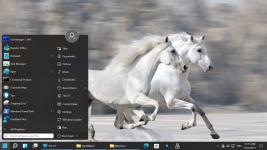
Restore and improve start menu
Launch apps and go to system places in one click
Navigate dropdown menus like a boss
Enjoy fast and reliable search
Finally, lightweight styling and UI consistency
Enjoy Windows 7, Windows 10 and third-party taskbar and start menu styles
Fix UI inconsistencies in Win32 apps
Don't be blue: recolor UI in all windows apps
Negative resource usage: fewer RAM used, fewer processes started
OS: Windows 11
Screen :
What's New
Spoiler contents are visible only to Established Members.
HOMEPAGE
Code:
https://www.startallback.com/
You do not have permission to view the full content of this post. Log in or register now.
You do not have permission to view the full content of this post. Log in or register now.
