 PH
PH
Windows (x64) | File size: 930 MB
SILKYPIX RAW Converter is software that converts RAW format image data taken with a digital camera into RAW (DNG) data with higher resolution and image quality than usual RAW data. After bringing out the best of the image itself, it can be imported and adjusted with other companies' software or old SILKYPIX products that are no longer compatible with the camera.
By simply passing your RAW format data through the SILKYPIX RAW Converter, you can easily generate high-resolution and high-quality image data. Add this software, which automatically applies the high-definition demosaicing and powerful noise reduction that are the hallmarks of SILKYPIX products, to your workflow and start your adjustment work with high-quality images using other image editing software such as Photoshop® or older SILKYPIX products.
Overwhelming resolution changes the power of the subject dramatically.
By applying SILKYPIX's unique demosaicing technology "Clear view", the resolution of image details can be E×ρréššed in high definition.It can also be applied to past RAW data, expanding the scope of adjustment work with various image editing software.
Not the inorganic noise processing characteristic of digital cameras, but a natural finish.
The optimum noise reduction for each imported image is automatically applied, reducing the time and effort required for subsequent adjustments and further enhancing the perfection of the work.
Compatible with various camera manufacturers
In addition to major manufacturers, SIGMA dp Quattro and GoPro® are also supported. Special sensors such as Fujifilm X-Trans are also supported, bringing the total number of supported cameras to over 800 models. Cameras that are not supported by other companies' software or older SILKYPIX products that are no longer supported can be imported as long as they are supported by the latest SILKYPIX.
Operating Environment
- Microsoft® Windows® 11 / 10 64bit version
- Tablet mode of Microsoft® Windows® 10 is not supported.
- 32bit OS is not supported.
- Intel® Core™ 2 Duo or higher or AMD Athlon™ 64 X2 or higher processor
- 4GB or more RAM (8GB or more recommended)
- Hard disk with at least 20 GB of free space
- Display supporting screen resolution of 1,024 x 768 or higher
Screen :
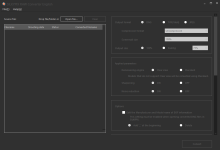
What's New
Spoiler contents are visible only to Established Members.
HOMEPAGE
Code:
https://silkypix.isl.co.jp
You do not have permission to view the full content of this post. Log in or register now.
You do not have permission to view the full content of this post. Log in or register now.