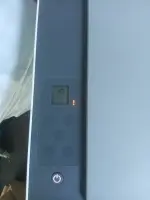
Hello! If you are still encountering a cartridge error after replacing the cartridge in your HP Smart Tank 520 printer, there are a few troubleshooting steps you can try to resolve the issue:
1. Check Cartridge Installation: Ensure that the new cartridge is installed correctly. Make sure it is securely seated in the correct slot and that you have removed any protective tapes or seals from the cartridge.
2. Restart the Printer: Turn off the printer, unplug it from the power source, wait for a few minutes, and then plug it back in. Turn on the printer and check if the error persists.
3. Clean Cartridge Contacts: Sometimes, dirt or ink residue on the cartridge contacts can cause connection issues. Remove the cartridge and clean the contacts gently with a lint-free cloth.
4. Update Printer Firmware: Check if there are any firmware updates available for your printer. Updating the firmware can sometimes resolve cartridge errors.
5. Reset the Printer: You can try resetting the printer to its factory settings. This can often clear out any internal errors that may be causing the cartridge error.
6. Contact HP Support: If you have tried the above steps and the error persists, it may be a hardware issue. Contact HP support for further assistance or to inquire about any warranty options.
I hope one of these steps helps resolve the cartridge error on your HP Smart Tank 520 printer. Let me know if you need further assistance!
 PH
PH