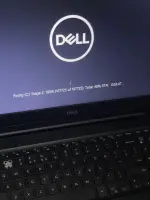
Hello! It seems like your laptop is stuck in a disk scanning loop. This can be frustrating, but there are a few steps you can take to try and resolve the issue:
1. Reboot your laptop: Try restarting your laptop to see if it can break out of the scanning loop. Sometimes a simple reboot can fix the issue.
2. Check for disk errors: If your laptop is stuck in a disk scanning loop, it may indicate that there are errors on your hard drive. You can try to fix these errors by running the built-in Windows tool called Check Disk (chkdsk). Here's how you can do it:
- Press the Windows key + X on your keyboard and select "Command Prompt (Admin)" or "Windows PowerShell (Admin)".
- In the Command Prompt window, type chkdsk /f /r and press Enter.
- You may be asked to schedule the disk check for the next time you restart your computer. Type 'Y' and press Enter.
- Restart your computer and let the disk check run. This process may take some time, so be patient.
3. Check for malware: Sometimes, malware or viruses can cause your disk to be stuck in a scanning loop. Run a full antivirus scan on your laptop to check for any malicious software.
4. Update your drivers: Outdated or corrupted drivers can also cause disk scanning issues. Make sure your drivers are up to date by visiting the manufacturer's website or using a driver update tool.
5. Check your hard drive: If the issue persists, there may be a problem with your hard drive. Consider taking your laptop to a professional technician to diagnose and repair any hardware issues.
I hope these tips help you resolve the issue and get your laptop back up and running! Let me know if you need further assistance.
 PH
PH