 PH
PH
File size: 6 MB
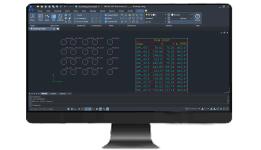
A Hole Chart is a table that lists the position and dimensions of selected holes (any circle or standard hole) in a drawing. This plugin creates hole charts, when you select the holes and the origin from where the position is defined. When you create a hole chart, a hole label is placed next to each hole in order to uniquely identify each hole in the hole chart.
Features
Simple, easy and user friendly.
Supports Circle, Arc and Points.
Hole charts for profile points.
Add holes to the existing hole chart and can remove holes from the hole chart.
Hole chart validation to find modified, deleted and missing holes.
Separate hole charts based on diameter.
Separate hole charts based on hidden line type for top and bottom.
Sort holes in hole chart to reduce the tool travel time.
Edit hole chart to change the name, x, y, diameter precisions.
Automatically add top and bottom settings based on standards.
Power dimensions.
Export selected hole charts to CNC, CSV and MPF formats.
Tools to place construction lines.
We can customize this toolkit to match your company standards
System requirements
ZWCAD Professional
Screen :
What's New
Spoiler contents are visible only to Established Members.
HOMEPAGE
Code:
https://www.zwsoft.com/
You do not have permission to view the full content of this post. Log in or register now.
You do not have permission to view the full content of this post. Log in or register now.
You do not have permission to view the full content of this post. Log in or register now.