 PH
PH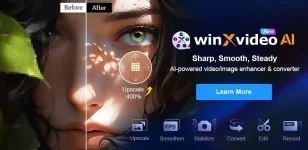
Download Winxvideo AI 3 (Auto-install) for free permanently. The latest version of the program to expand, improve the quality of images and videos, edit and convert video files with AI. Easy to install.
What is Winxvideo AI?
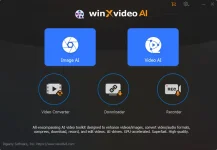
Winxvideo AI is a powerful video and photo editing software that uses AI technology to enhance, enhance, and edit videos and photos. It has a variety of features that can easily and quickly improve the quality of images and videos. It can improve the quality of old, low-quality, or blurry videos/photos. It can enlarge images by up to 400% and upscale videos to 4K, reduce video shaking, increase frame rates to 120/240fps, and convert, compress, record, and edit 4K/8K/HDR videos with full GPU acceleration. It's like Topaz Photo AI and Topaz Video AI are combined into one (although the quality may not be as good as Topaz's AI).Key Features
Video side
- Increase video resolution (AI Video Upscaling)
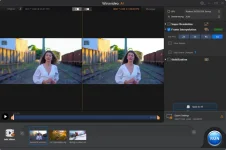
- Winxvideo AI uses AI to upscale videos from SD to HD or 4K, resulting in clearer image details and higher quality. It is ideal for improving the clarity of old or low-quality videos.
- AI Noise Reduction
- Analyze and remove noise from videos, resulting in sharper and cleaner images, especially in cases of videos shot in low-light or low-quality conditions.
- Increase frame rate (Frame Interpolation)
- It can increase the number of frames per second (fps) of a video, making the video playback smoother and more natural, which is very useful for fast-moving videos.
- Improve video stability (AI Video Stabilization)
- This feature reduces video shake, making videos recorded hand-held or in unstable environments more stable and professional-looking.
- Video Editing Features
- In addition to improving the quality of the video, it also has complete video editing features such as trimming, merging, cropping, and adding subtitles. We can easily customize and edit the video to suit our needs.
In terms of images
- Resolution Improvement
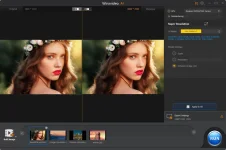
- Enlarge or increase the resolution of photos up to 4 times, making blurry images clearer and with more details. Ideal for improving low-quality or old photos to be sharper and more interesting.
- Sharper Details & Richer Colors
- It can improve the details and colors of photos, making them look more vivid and lively by analyzing and adjusting the texture and colors of the image to make them more realistic.
Other uses
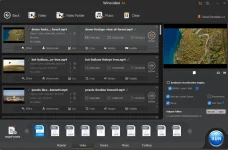
- Format Conversion : Supports converting video and photo files to multiple formats to suit different devices and platforms, such as YouTube, Facebook, and Vimeo.
- Screen Recording : It has a high-quality screen recording feature, which is suitable for creating teaching content, gaming, or presentations.
File information
- Operating System: Windows 11 / Windows 10 / 8.1
- Developer : Digiarty Software
- Language : Multilingual
- Size : 234 MB
- File type : RAR
- Password :
- mawto
- Installation method: Yes
- Updated on: 25/12/2024
- You do not have permission to view the full content of this post. Log in or register now.