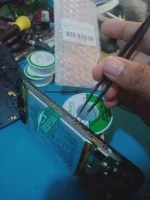
If all the physical buttons on your Oppo phone are not working, you can still turn it on using an alternative method. One common way to turn on an Oppo phone without using the physical buttons is by connecting it to a power source. Here's how you can do that:
1. Plug your Oppo phone into a charger using the USB cable that came with the device.
2. Allow the phone to charge for a few minutes.
3. Once you see the charging indicator on the screen or notice that the phone is getting warm, try pressing the power button to turn it on.
If this method doesn't work, you can also try connecting your Oppo phone to a computer using a USB cable. Sometimes, the phone may automatically power on when connected to a computer.
If these methods still don't work, you may need to visit a service center or contact Oppo's customer support for further assistance. There is no specific program that can turn on the phone if all the physical buttons are not working, as the power button is a crucial component for powering on the device.
 PH
PH