PH
PHHVz9MWr3cG
Forum Guru
Tested on software version 8.0.0.226. If there's anything else to add to the bloatware list, feel free to comment.Requirements
Wi-Fi connection (hotspot connection is okay)
Install
- You do not have permission to view the full content of this post. Log in or register now.
- You do not have permission to view the full content of this post. Log in or register now.
1. Open Settings > About phone > Build number (Tap multiple times to activate Developer Options)
2. Open Shizuku then tap Pairing
- Grant notification permission
- Developer options > Wireless debugging (Tap to enable) > Pair device with pairing code
- Input Wi-Fi pairing code to Shizuku floating notification
- Back to main page of Shizuku then click Start
- Find bloatwares that needs to be uninstalled
- Grant Shizuku permission
Honor X9B 5G (software version 8.0.0.226) bloatware list
- Android Auto
- App Market
- Backup
- Default Print Service
- Digital Wellbeing
- Favorites Space
- Fusion Search Service
- Game Manager
- GameKit
- Google Play Services for AR
- Google TV
- Health Connect
- HONOR Data Sync
- Honor Search
- Honor Share
- Link to Windows
- Link to Windows Service
- Link to Windows Service
- Magazine Unlock
- MagicRing Control Center
- Meet (Gmail has this by default)
- Meta App Installer
- Meta App Manager
- Meta Services
- Microsoft Swiftkey Factory Settings
- Microsoft Swiftkey Keyboard (If you want to uninstall this, install a third-party keyboard first)
- My HONOR
- Parallel Space
- Password Vault
- Photos
- Print Service Recommendation Service
- Print Spooler
- SIM Toolkit
- Software update (Useful sa mga umiiwas sa software update due to green/pinkline issue)
- System Apps Updater
- Themes (Disabled)
- YouTube Music
Screenshot
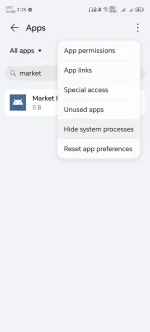
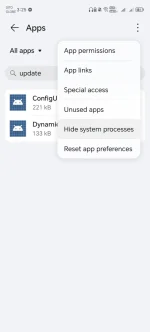
Uninstalled Honor App Market and Software update app