 PH
PHDownload AI FaceSwap v2.5.5
Software to swap faces between two photos with artificial intelligence

AI FaceSwap is an artificial intelligence-based software that is used to change faces in images or videos. This software uses deep learning techniques and neural networks to recognize and change faces naturally. In fact, AI FaceSwap can replace different faces with each other with very high accuracy, so that the result looks natural.
This software can usually be used for both still images and videos, and users can adjust various settings such as the degree of face matching, brightness, and skin tone matching, and the final result is usually presented with high resolution and professional quality. It is worth noting that the software has a simple user interface and even beginners can use it easily.
This software can be used to create attractive or funny videos by replacing the faces of actors or famous people, or even use it to replace the faces of actors in certain scenes.
If you use images of other people's faces, you must obtain their consent!
Key features of AI FaceSwap software :
- Accurate and natural face transformation: Replace different faces with very high accuracy
- Support for images and videos
- Ability to make various settings such as face matching, brightness, and skin tone matching
- Simple and easy to use interface
- High quality output
screenshot
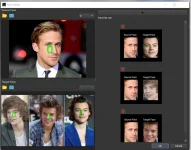
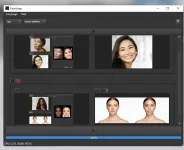
Installation Guide
1- The software is pre-activated. Just install it and then run it.
2- If it does not run properly, read the Read Me.txt file.
2- If it does not run properly, read the Read Me.txt file.
System Requirements
Windows 10 N system requirement
Open the Start button > Settings > Apps > Apps & features > Optional features > Add a feature > install Media Feature Pack > Reboot
- OS: Windows 10 version 17763.0 or higher
- Architecture: x64
- Keyboard: Integrated Keyboard (Minimum)
- Mouse: Integrated Mouse (Minimum)
- Memory: 4 GB (Minimum), 8 GB (Recommended)
- Notes: 4GB RAM , 40GB ROM (Minimum), 8GB RAM, 80GB ROM (Recommended)
Windows 10 N system requirement
Open the Start button > Settings > Apps > Apps & features > Optional features > Add a feature > install Media Feature Pack > Reboot
Specifications
New version release report
Manufacturer: Microsoft / Microsoft
English name: AI FaceSwap
Version number: v2.5.5
name: AI FaceSwap
File size: 2449 MB
DOWNLOAD LINK:
You do not have permission to view the full content of this post. Log in or register now.
Manufacturer: Microsoft / Microsoft
English name: AI FaceSwap
Version number: v2.5.5
name: AI FaceSwap
File size: 2449 MB
DOWNLOAD LINK:
You do not have permission to view the full content of this post. Log in or register now.