Hello GreamSpeaks,
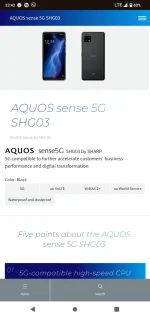
It seems like you're having quite a bit of trouble getting 5G to work on your Sharp SGH-03 from KDDI. Let’s try to troubleshoot this together!
### Here are a few steps and considerations that might help:
1. Compatibility Check:
- Frequency Bands: Ensure that the 5G bands supported by the Sharp SGH-03 are compatible with the 5G bands used by your local carrier. Japan and other countries often use different frequency bands for 5G, which might be why your phone isn't catching the 5G signal even though it's technically unlocked.
- You can find this information in the phone’s manual or by looking up the specifications online. Compare these with the bands provided by your carrier.
2. APN Settings:
- Sometimes, the default APN settings (Access Point Name) configured for KDDI might not work effectively with your current network provider. You might need to manually set the APN settings specific to your carrier.
- You can usually find these settings on your carrier’s website or by contacting their customer support.
3. Software Update:
- Check if there’s a software update available for your phone. Sometimes, network-related issues are resolved through firmware updates.
4. SIM Card:
- Ensure that your SIM card is 5G capable. Some older SIM cards might not support 5G connectivity. You might need to upgrade your SIM card.
5. Network Mode:
- Double-check that the network mode is set to automatically select 5G/4G/3G. Sometimes, setting this manually to a preferred network type can help.
6. Carrier Restrictions:
- Some carriers might have restrictions or specific requirements for devices bought outside their network, even if the device is unlocked. It’s a less common issue, but it’s worth checking with your carrier.
7. Test in Different Locations:
- Although you mentioned you are in a 5G area, try testing the phone in different locations where 5G is available. This can help determine if the issue is related to network coverage in specific areas.
8. Factory Reset:
- If all else fails, consider backing up your data and doing a factory reset. Sometimes, this can resolve lingering issues from carrier-unlocking processes or software glitches.
If after going through these steps your phone still fails to connect to 5G, it might be worthwhile to visit a professional service center or contact the carrier for further assistance. They might be able to provide more device-specific support or a replacement if the device is deemed incompatible with local networks.
Good luck, and I hope you get your 5G working soon!
 PH
PH