 PH
PHNote: This trick will temporarily Hide the annoying "Activate extra member to watch now" Screen and allow you to browse movies on Netflix.
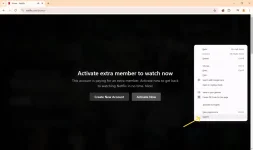
Step 1. Right click the screen and choose Inspect
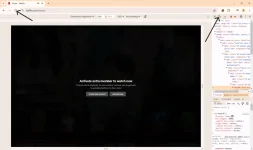
Step 2. Toggle device toolbar and refresh the page.
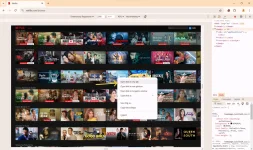
Step 3. Tap the Netflix screen and right click the movie you want to watch and choose Open link in new tab
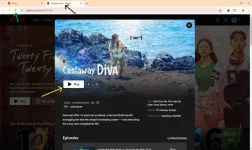
Step 4. Navigate to the newly open tab and play the selected movie. Refresh the page if "Activate extra member to watch now" screen is showing.
End of the tutorial. Hope this will help you guys!
Step 1. Right click the screen and choose Inspect
Step 2. Toggle device toolbar and refresh the page.
Step 3. Tap the Netflix screen and right click the movie you want to watch and choose Open link in new tab
Step 4. Navigate to the newly open tab and play the selected movie. Refresh the page if "Activate extra member to watch now" screen is showing.
End of the tutorial. Hope this will help you guys!