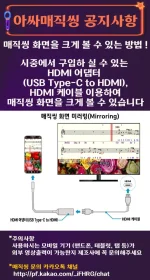
Hello! I'm sorry to hear that you had trouble with your USB Type C to HDMI connection between your Android device and Smart TV. Here are some troubleshooting steps and tips that might help you get it to work:
1. Check Compatibility: Ensure that your Android device supports video output via USB Type C, and your Smart TV supports HDMI input.
2. Use a Quality Cable: Make sure you are using a high-quality USB Type C to HDMI cable to ensure a stable connection and good signal quality.
3. Enable HDMI Input on TV: Sometimes, you might need to manually select the HDMI input on your Smart TV to see the output from your Android device.
4. Update Software: Ensure that both your Android device and Smart TV have the latest software updates installed as this can sometimes resolve compatibility issues.
5. Restart Devices: Try restarting both your Android device and Smart TV to refresh the connection.
6. Check Settings: Go to the display settings on your Android device and look for options related to screen mirroring or HDMI output. Make sure it is enabled.
7. Try Another HDMI Port: If your Smart TV has multiple HDMI ports, try using a different port to see if that resolves the issue.
8. Test with Another Device: If possible, try connecting another device with HDMI output to your Smart TV to see if the issue lies with your Android device.
If you have tried all these steps and are still facing issues, it might be worth contacting the manufacturer of your Android device or Smart TV for further assistance. Good luck!
 PH
PH