 PH
PH
P
PHC-MR O N E
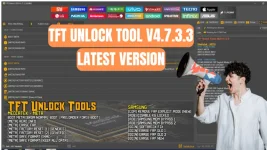
- RockChip
- Read Info
- Read Flash
- Factory Reset
- Reset FRP
RockChip Generic
- RK3399
- RK3288
- RK3326S
- RK3326 & PX30
- RK3308
- RK3588
- RK3562
- RockChip Auto Loader
Archos
- Archos 101 Oxygen
- Archos Access 101 Wif
- Archos 101 Neon SoC:
- Archos Access 101 Wifi
- Archos T101 HD2
- Blackview Tab 5
- Blackview Tab 5 Wifi
- Blackview Tab 7 Wifi
- Blackview Tab A7 Kids
- Blackview Tab 8 Wifi
- Blackview Tab 50 Wifi
- Blackview Tab 50 Kids
- Blackview Tab 70 Wifi
- Blackview Oscal Pad 60
- Blackview Oscal Pad 70
PiPO
- PiPO P9
- PiPO Tab P7
- PiPO P1
Medion
- Medion LifeTab
- Medion LifeTab P9702
Techno/Infinix
- Fixed (ADB) Erase FRP New 2024
Samsung
FUNCTION
- {COM} READ INFO
- {COM} FACTORY RESET
- {COM} ENTER DOWNLOAD
- {COM} REMOVE FRP OQ CODE (BETA)
- {COM} REMOVE FRP (2023)
- {COM} REMOVE FRP {2024} {USA MODELS}
- {ADB} Disabling Knox
- {ADB} Disabling OTA Update
EDL/BROM
- Samsung Qualcomm Update Models New BIT
- [EDL] Erase FRP
- Samsung Galaxy A52
- Samsung Galaxy A71 5G
- Samsung Galaxy S10e
- Samsung Galaxy S10
- Samsung Galaxy S10 Plus
- Samsung Galaxy S20 5G
- Samsung Galaxy S20 Plus 5G
- Samsung Galaxy S20 Ultra
- Samsung Galaxy S20 FE 5G
- Samsung Galaxy S21 FE
- Samsung Galaxy S21 5G
- Samsung Galaxy S21 5G Plus
- Samsung Galaxy S21 Ultra 5G
- Samsung Galaxy S22 5G
- Samsung Galaxy S22 5G
- Samsung Galaxy S22 Plus 5G
- Samsung Galaxy S22 Ultra 5G
- Samsung Galaxy S22 Ultra 5G
- Samsung Galaxy S23
- Samsung Galaxy S23 Plus
- Samsung Galaxy S23 Ultra 5G
- Samsung Galaxy Note 10
- Samsung Galaxy Note10 Plus
- Samsung Galaxy Note20 5G
- Samsung Galaxy Note 20 Ultra 5G
- Samsung Galaxy Z Flip 3 5G
- Samsung Galaxy Z Flip 4
- Samsung Galaxy Z Fold2 5G
- Samsung Galaxy Z Fold3 5G
- Samsung Galaxy Z Fold 4
EXTRA
- {ADB} Add Arabic Language Android (9-10-11-12-13)
- {ADB} Add Arabic Keyboard
ODIN MODE
- {ODIN} FACTORY RESET + ERASE FRP (SM-T505N)
MediaTek
META
- BOOT META
- {META} READ INFO
- {META} ERASE FRP
- {META} SAFE FORMAT
- {META} FACTORY RESET {1} {GENERIC}
- {META} UNLOCK {GENERIC}
- FLASH OLD
- {ADD} Auth Bypass
HUAWEI
- {META} READ INFO
- {META} ERASE FRP
- {META} FACTORY RESET
- {META} UNLOCK META 1
How To Remove FRP Of Samsung Models In Test Mode:
- Download Tool.
- Install Samsung USB Driver.
- Extract and Install Tool.
- Open Tool.
- Connect Mobile With Pc By Cable.
- Go To Emergency Call and Dial Code. (#0#)
- Click Remove FRP 2023.
- Click Allow ADB On The Phone.
- Remove FRP Done.
How To Use TFT Unlock Tool:
- First Download the zip file from Below Link.
- Unzip/Extract the zip file with password : sbmobilelab
- Disable the Antivirus if you have one.
- Open the destination folder.
- Run the Setup.
- Click On Update.
- Install all Required You do not have permission to view the full content of this post. Log in or register now. and Connect the phone.
- Enjoy..!!
File Information
File Name: TFT Unlock Tool 4.7.3.3
Type: .rar
Compatible: Window XP, Window 7, Window 8/8.1, Window 10, Window 11
Password Winrar: sbmobilelab
Link:
You do not have permission to view the full content of this post. Log in or register now.
