PH
PHRhenVisuals
Forum Guru
Step-by-Step Guide to Set Up
Step 1 Download the Verus Wallet
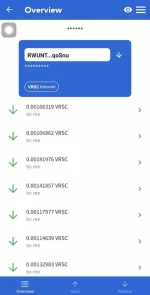
To receive mining payouts. You can download it from the You do not have permission to view the full content of this post. Log in or register now. or the You do not have permission to view the full content of this post. Log in or register now..Step 2 Download Termux
if you haven't already. You can get it from this link:Download & install You do not have permission to view the full content of this post. Log in or register now.
Step 3: Update and Install Packages
In Termux, run these commands to update and install required packages:Type y then enter key in any prompts!
yes | pkg update && pkg upgrade
yes | pkg install libjansson wget nano
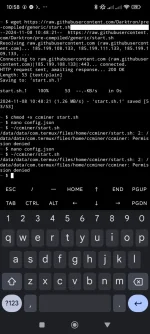
Step 4: Download ccminer Files
Download ccminer, config.mkdir ccminer && cd ccminer
wget You do not have permission to view the full content of this post. Log in or register now.
wget You do not have permission to view the full content of this post. Log in or register now.
wget You do not have permission to view the full content of this post. Log in or register now.
chmod +x ccminer start.sh
Step 5: Edit Pool Settings, Address, and Worker Name
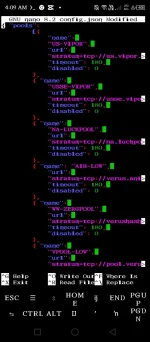
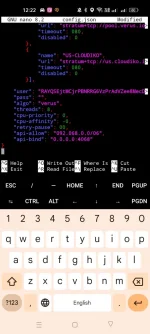
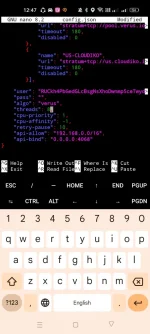
Open the configuration file:nano config.json
Pools: To disable a pool, set "disabled": 1. To enable a pool, set "disabled": 0.
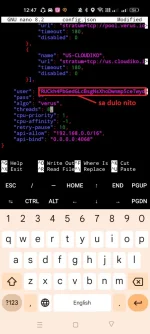
Address & Worker Name: Near the bottom of config.json, find address here.worker name here and replace it with your address and worker name.
After editing, press CTRL + X to exit, then press Y to save your changes, and Enter to confirm.
Final Step : Start Mining
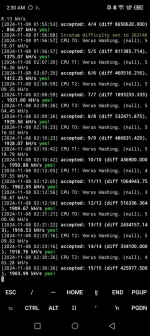
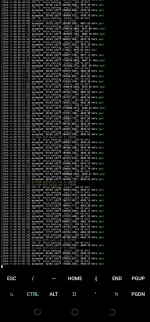
To start ccminer, enter:~/ccminer/start.sh
To stop mining, press CTRL + C.
To check if Your Miner is Working:
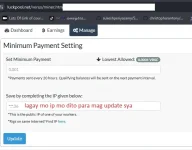
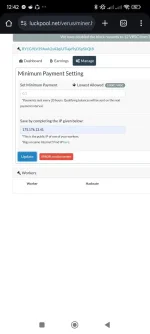
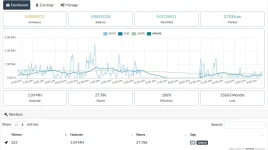
Visit You do not have permission to view the full content of this post. Log in or register now. and enter your wallet address to confirm your miner is active.