 PH
PHShare ko lang sa mga hindi pa nakaka-alam meron ng built-in dark mode and Wikipedia.org, hindi na sasakit mata ng mga nagre-research kapag madilim hehe.
Steps for Mobile:
1) Click the hamburger icon (≡)
2) Go to "Settings"
3) Under "Color" > tick Dark button
Steps for PC/Laptop/Desktop:
1) Visit You do not have permission to view the full content of this post. Log in or register now.
2) Go to the right side section of the screen and under Apperance > Color > click the "Dark" button
3) Done!
Video guide: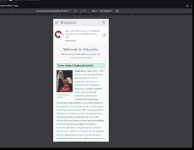
Steps for Mobile:
1) Click the hamburger icon (≡)
2) Go to "Settings"
3) Under "Color" > tick Dark button
Steps for PC/Laptop/Desktop:
1) Visit You do not have permission to view the full content of this post. Log in or register now.
2) Go to the right side section of the screen and under Apperance > Color > click the "Dark" button
3) Done!
Video guide:
