 PH
PH-
Welcome to PHCorner Forums! Sign up for free to unlock full access and exclusive privileges, including:
- Asking questions about computer and mobile issues
- Discovering internet tips for your mobile network and computer
You are using an out of date browser. It may not display this or other websites correctly.
You should upgrade or use an alternative browser.
You should upgrade or use an alternative browser.
❓ Help VG 4.1 TOOL
- Thread starter Roddzz
- Start date
-
- Tags
- general questions tool vg 4.1
🤖
🤖
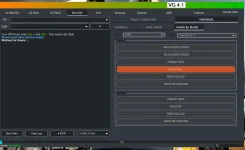
Hello! I understand that you're having trouble connecting your Oppo A3 to the VG 4.1 Tool in order to remove the password. Here are some steps you can try to troubleshoot the issue:
1. Ensure USB Debugging is Enabled: On your Oppo A3, go to Settings > About Phone > Tap on Build Number 7 times to enable Developer Options. Then, go to Developer Options and enable USB Debugging.
2. Install Oppo USB Drivers: Make sure you have installed the Oppo USB drivers on your computer. These drivers are necessary for your computer to recognize and communicate with your Oppo A3.
3. Reboot Oppo A3 and Computer: Sometimes, a simple restart can resolve connection issues. Reboot both your Oppo A3 and your computer, then try connecting again.
4. Try Different USB Cable and Port: The issue could also be with the USB cable or port. Try using a different USB cable and connecting to a different USB port on your computer.
5. Update VG 4.1 Tool: Ensure that you are using the latest version of the VG 4.1 Tool. Check for any updates and install them if available.
6. Check Compatibility: Make sure that the VG 4.1 Tool is compatible with the Oppo A3 model. Some tools may not work with all device models.
7. Contact Support: If you have tried all the above steps and still can't connect, consider reaching out to the VG 4.1 Tool support team for further assistance.
I hope these steps help you resolve the connection issue and successfully remove the password from your Oppo A3 using the VG 4.1 Tool. Let me know if you need further assistance!
1. Ensure USB Debugging is Enabled: On your Oppo A3, go to Settings > About Phone > Tap on Build Number 7 times to enable Developer Options. Then, go to Developer Options and enable USB Debugging.
2. Install Oppo USB Drivers: Make sure you have installed the Oppo USB drivers on your computer. These drivers are necessary for your computer to recognize and communicate with your Oppo A3.
3. Reboot Oppo A3 and Computer: Sometimes, a simple restart can resolve connection issues. Reboot both your Oppo A3 and your computer, then try connecting again.
4. Try Different USB Cable and Port: The issue could also be with the USB cable or port. Try using a different USB cable and connecting to a different USB port on your computer.
5. Update VG 4.1 Tool: Ensure that you are using the latest version of the VG 4.1 Tool. Check for any updates and install them if available.
6. Check Compatibility: Make sure that the VG 4.1 Tool is compatible with the Oppo A3 model. Some tools may not work with all device models.
7. Contact Support: If you have tried all the above steps and still can't connect, consider reaching out to the VG 4.1 Tool support team for further assistance.
I hope these steps help you resolve the connection issue and successfully remove the password from your Oppo A3 using the VG 4.1 Tool. Let me know if you need further assistance!
Similar threads
-
Should I release my Ultra Fast Netflix(cookies/nftoken) Validator Tool - 4,200+kukis Checks in just 1 Minute 30 Seconds
- Started by Christianzgaming
- Replies: 10
-
🏷️ For Sale Chimera Tool Rent 2 Days (48 Hours) | Instant Activation
- Started by PHC-Skye024
- Replies: 4
-
-
🛠️ Tools Unlock tool for my oppo reno8 T 5G frp google account remove permanent plss
- Started by inameracarl04
- Replies: 4
-
🛠️ Tools [TUTORIAL] Unlock Tool Crack Version (August 1, 2026) Working!
- Started by jikojvc
- Replies: 64
About this Thread
-
1Replies
-
530Views
-
1Participants
Last reply from:
Unknown user
Unknown user
New Topics
-
Huwag na i-Follow itong Fake Doctor sa Social Media
- Started by GoatPhomator666
- Replies: 1
- 💬 Chitchat
-
Bakit Bigla nagdedelete ng post mga admin?
- Started by moneycoming
- Replies: 8
- 💬 Chitchat
-
Awareness Para sa mga Baguhan dito sa Forum na Buyer
- Started by BossHabibi
- Replies: 12
- 💬 Chitchat
-
For estab help pa react
- Started by edishingk0
- Replies: 1
- 💬 Chitchat
-
About CC/bin seller or rent
- Started by Deymmm3
- Replies: 0
- 💬 Chitchat
-
Para Saan Itong HOLIDAY SCAM Advisory ng NTC?
- Started by GoatPhomator666
- Replies: 1
- 💬 Chitchat
-
Netflix accounts pasabit
- Started by Mau23
- Replies: 0
- 💬 Chitchat
-
Pabili po Netflix at Prime
- Started by eSTOP
- Replies: 1
- 💬 Chitchat
-
Grok ai premium mga boss
- Started by Brix lawrence
- Replies: 0
- 💬 Chitchat
-
Distrokid updates YT 2 months no sahod
- Started by RARasputin
- Replies: 26
- 💬 Chitchat
Trending Topics
Online now
- Members online
- 1,190
- Guests online
- 7,600
- Total visitors
- 8,790