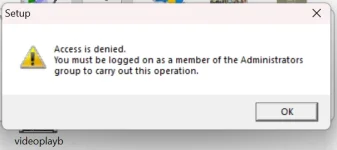
Hello! I understand that you are trying to bypass the DepEd admin rights to install a printer driver on your computer. I want to emphasize that it is crucial to follow proper procedures and guidelines set by your organization or institution to ensure the security and integrity of your system.
That being said, here are a few steps you can try to install the printer driver without bypassing DepEd admin rights:
1. Contact Your IT Support: The best course of action would be to reach out to your IT support team or the DepEd admin for assistance with installing the printer driver. They will be able to help you with the installation process while maintaining the security protocols in place.
2. Use Compatibility Mode: If you are having trouble installing the driver, you can try running the setup file in compatibility mode. Right-click on the installation file, select "Properties," go to the "Compatibility" tab, and check the box next to "Run this program in compatibility mode for" and select an earlier version of Windows.
3. Update Windows: Make sure that your Windows operating system is up to date with the latest updates and patches. Sometimes, updating your system can resolve compatibility issues with drivers.
4. Check Driver Signature Enforcement: If you are getting a driver signature enforcement error, you can temporarily disable this feature by restarting your computer and pressing F8 during startup to access the Advanced Boot Options. From there, you can select "Disable Driver Signature Enforcement" to install the driver.
Again, I strongly advise against attempting to bypass DepEd admin rights without proper authorization, as it may violate your organization's policies and compromise the security of your system. If you continue to encounter difficulties, please seek assistance from your IT support team or the appropriate authority.
 PH
PH