 PH
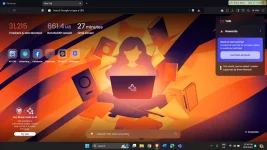
PHTrafficMonitor is a simple Portable desktop tool that allows you to monitor your network speed in real-time as well as memory and computer usage.
TrafficMonitor can be configured to display your current network speed, CPU, and memory usage. You can also personalize the display in the taskbar, change skins, historical traffic statistics, and notification icons. It is meant as a low-key option to stay informed about specific system aspects directly from your desktop. TrafficMonitor comes displayed from a simple UI with all its options accessible via a right-click on the systray icon. You can also access your connection details which will provide details like interface name,/description/type, default gateway, connection status, and more.
If you like to have the ability to have at a glance details about your network speeds, CPU, and RAM usage that is light on resources, then TrafficMonitor will be a welcome addition to your machine.
Similar:
- How to Improve Your Wireless Network Performance
- How to Show Your Internet Upload, Download, and Usage on the Taskbar
- How to See Your Network Adapter Speed in Windows 10 & 11
- How to Fix Slow Internet on Windows 10 & 11
- How to Use the Ping Command in Windows What is Windows Auto-Tuning?
You do not have permission to view the full content of this post. Log in or register now.