 PH
PHmmutia121928
Elite
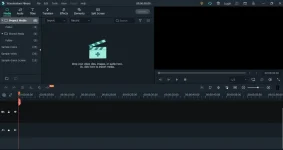
Wondershare Filmora X (Repack & Portable) is a convenient video editor that contains all the necessary tools for video editing. You can create high-quality movies with titles, apply filters, and transition effects, and process sound.
Besides, the program will help you directly upload your video to YouTube for sharing with friends and family, save the video for playback on portable devices such as iPhones, iPads, iPods, etc., or burn DVDs.
Features of the program:
• Support all SD and HD videos, including WMV, AVI, MP4, FLV, MOV, MKV, MTS, etc. You can also capture
video directly from a video capture device or add video from camcorders and other external hard drives.
• Add background music to the video. All standard audio formats like MP3, WMA, WAV, M4A, AAC, AC3, OGG etc.
• Import photos like BMP, JPG, PNG, GIF, etc., and create home movies with photos and videos.
• Edit and personalize video/photo/audio with video editing: crop, rotate,
adjust duration, etc.
• Add stylish captions to videos and photos using customizable fonts, colors, etc.
• Take your movie to the next level with professional and creative effects right away.
• Add transition effects between two clips and apply motion effects to photos,
to achieve a natural and smooth transition.
• Get optimized video for playback on portable devices like iPhone, iPad, PSP, iPod, etc.
• Save the edited video to your hard drive for further use in various video formats.
• Directly upload the video to YouTube
• Burn videos to DVDs or save them as DVD folders or ISO image files.
Features of Wondershare Filmora Repack:
1. Combined installation of the program or unpacking of the portable (PAF) version in one distribution
2. No registration required (ρá†ch pawel97)
3. Multilingual interface (including Russian /russification lrepacks.net/)
4. Removed files for sending bug reports, auto-updates, Wondershare Helper Compact modules
5. Possibility of blocking automatic loading of Trial and Sample effect packs into the program
6. Possibility of picking up and auto-copying user program settings files in *.xml format
7. Possibility of picking up and auto-launching effect packages* (posted separately).
Filmora for Windows System Requirements
- You may need to update your graphics drivers to run Filmora. Please keep your computer's graphics drivers updated to get the best performance out of your hardware. You do not have permission to view the full content of this post. Log in or register now.
- Supported OS: Windows 11/Windows 10/Windows 8.1/Windows 7 (You do not have permission to view the full content of this post. Log in or register now.).
- Processor: Intel i3 or better multicore processor, 2GHz or above.
(Intel 6th Gen or newer CPU recommended for HD and 4K Videos). - RAM: 8 GB RAM (16 GB required for HD and 4K videos).
- Graphics: Intel HD Graphics 5000 or later; NVIDIA GeForce GTX 700 or later; AMD Radeon R5 or later.
2 GB vRAM (4GB required for HD and 4K videos). - Disk: At least 10GB of free hard disk space for installation (SSD-Solid State Disk recommended for editing HD and 4K videos).
Spoiler contents are visible only to Established Members.


