PH
PHMyZephyrNej
Enthusiast
TFT Unlock Tool Server Module Released Unofficially for Free
Friends, today I will guide you on how to use the TFT Unlock Tool with a custom server. One of our brothers has prepared this ρá†ch and provided it to us for free, allowing you to use the TFT Unlock Tool just like before, without any internet errors. I will also upload a video on my channel to show how it works so you can understand it easily.You do not have permission to view the full content of this post. Log in or register now.
The TFT Unlock Tool server has been completely down for the past few days, and all users were worried about how to use the tool. However, our brother "Z0DIACOK" has created a custom ρá†ch module that bypasses the server, enabling the TFT Unlock Tool to open on your computer easily, and you can use almost all the features. So, let me explain how it works and how you can use it.
What's new
TFT Unlock Tools-2024-4.6.4.4
Android
[RockChip]
- Read info
- Read Flash
- Write Flash
- Factory Reset
- Reset FRP
RockChip GENERIC
- RK3399
- RK3288
- RK3326S
- RK3326 & PX30
- RK3308
- RK3588
- RK3562
- RockChip AUTO loader
Archos
- Archos 101 Oxygen
- Archos Access 101 WiF
- Archos 101 Neon SoC:
- Archos Access 101 WiFi
- Archos T101 HD2
- Blackview Tab 5
- Blackview TAB 5 Wifi
- Blackview Tab 7 WiFi
- Blackview Tab A7 Kids
- Blackview TAB 8 Wifi
- Blackview Tab 50 Wifi
- Blackview Tab 50 Kids
- Blackview Oscal Pad 60
- Blackview Tab 70 Wifi
- Blackview Oscal Pad 70
PiPO
- PiPO P9
- PiPO Tab P7
- PiPO P1
Medion
- Medion LifeTab
- Medion LifeTab P9702
TECNO/INFINEX
- FIXED [ADB] ERASE FRP New 2024
TFT Unlock Tool - 2024-4.6.3.3 Auto-update
SAMSUNG
[FUNCTION]
- [COM] REMOVE FRP [2024] [USA MODELS]
- [ADB] Disabling Knox
- [ADB] Disabling OTA Update
[EXTRA]
- [ADB] Add Arabic Language Android (9-10-11-12-13)
- [ADB] Add keyboard Arabic
[ODIN MODE]
- [ODIN] FACTORY RESET + ERASE FRP (SM-T505N
How to Open the TFT Unlock Tool Using the Server?
- First, download and install the TFT Unlock Tool. I will provide the download link below.
- Next, download the TFT server and extract all its files to the following location: "C:\TFTUnlock".
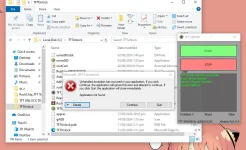
- When you extract the files and follow these steps, temporarily disable your antivirus. If any file gets blocked, it could cause an error.
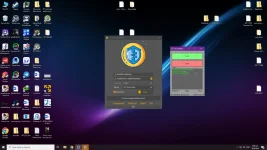
- Now, simply run the TFT Server.
You do not have permission to view the full content of this post. Log in or register now. - The server will ask for some permissions; allow all of them.
- Once the TFT server is open, just leave it as it is. Remember, when you run the TFT Server, it starts automatically, so you don't need to click the Start button again.
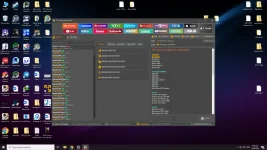
- Now, run the TFTUnlock.exe or use the shortcut on your desktop. Keep in mind that this server only works with the latest version of the TFT Unlock Tool (version 4.6.4.4).
- When you run it, the tool will work normally, just like it used to. In a short while, the login button will be enabled, and you can simply click on it to open and use the TFT tool.
You do not have permission to view the full content of this post. Log in or register now.
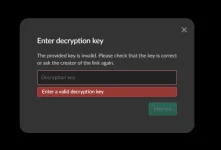
JUST CHANGE "4" to "a".
(Password: Z0DIACOK)
Gumagana naman to sa ibang model ng phone mostly sa mga luma. Ingat lang po sa paggamit. Make sure to have a backup. Thank you.