 PH
PHPHC-Sukehiro
Forum Expert
Good day PHC! Ang tutorial na ito ay tungkol sa pag install ng SolidWorks sa ating PC.
I'm currently running on Windows 11. This was proven and tested by yours truly. So far, wala naman akong na encounter na error sa paggamit nito.
Note: This is a CR@CKED version by SOLIDSQUAD.
Before we begin, make sure that you've met these requirements:
- Processor: 3.3 GHz or higher clock speed
- Operating System: Windows 10/11 64-bit
- Memory: 16GB minimum (can still run on lower but maybe laggy na sya)
- Storage: Atleast 20GB
NOTE
 : Base sa na-experience ko sa pag install ng SW, gumagana lang ang 2020-2024 version sa Windows 11.
 Nung tinry ko yung 2014 at 2017 version ay nagka error (Error 6) sa Ac†ïvâ†ør.
First, download the file here:
Download
Spoiler contents are visible only to Established Members.
If you encounter this error

Edit the link. Hindi kase pwede ang word na 'premium' dito sa PHC. So palitan mo yung word na 'premium' sa link para gumana.
From this:

To this:

Then, scroll down until you reach this:
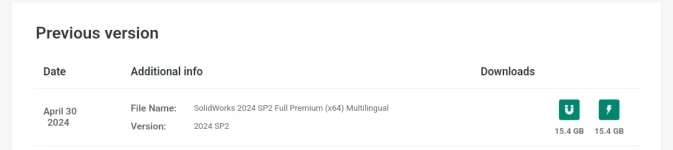
Click on the
 for direct download.
 Click on the
 for torrent.
After that, unzip the file.
Then, follow this installation video. Also turn off your internet connection during installation.
(Credits to the owner of this video which I found on YT)
This video tutorial was for the 2021 version but it still works on the 2024 version and this was also the one that I followed.
Please follow the video to the end to avoid errors especially on the license part.
And tadaaaa
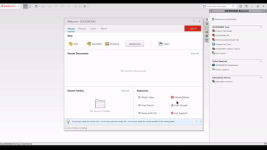
I hope this helps. Especially sa mga kapwa engineering students ko dyan.
Padayon future engineers!


 salamat!