 PH
PH
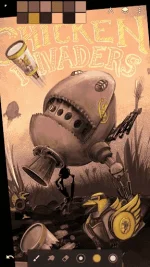
Infinite Painter
We are not Sketchbook.
We are not Photoshop.
We are not Procreate.
We are Infinite Painter.
Superior brushes – The most advanced painting engine on tablets
• 80+ natural brush presets
• Create new brushes
• Change brush settings with ease
• Brushes interact realistically with paper textures
Superior tools – A place for everything
• Experiment with four types of symmetry
• Layers and Photoshop blend modes
• Create clean lines with guides: Line, Ellipse, Focal, Curve, Protractor, Lazy, and French curve
• Draw 3D cityscapes with five different perspective guides
• Selection masks and clipping masks
Superior interface – Everything in its place
• It’s simple. It’s organized. It’s out of the way.
• Organized workflows:
Paint – Sketch, Paint, and Blend
Clone – Turn a photo into a painting
Edit – Adjust color, Liquify, Pattern, Crop, or add a filter
• Move your favorite tools to the top bar for quicker access
Advanced features
• Transform multiple layers simultaneously
• Transform tool: Translate, Scale, Rotate, Flip, Distort, and Skew
• Create seamless patterns with the Pattern tool
• Liquify tool: Move, Bloat, Pinch, Swirl, or Ripple
• Gradient and Pattern Fill
• Reference images
• Rotate and flip the canvas
Import and export
• Import PSD layers
• Add images from Gallery, Camera, or search the web
• Export images as JPEG, PNG, or PSD
• Share to Infinite Painter community, PEN.UP, or Instagram
• Search millions of colors, palettes, and patterns via ColourLovers
What’s New
5.3.8.5:
-fixed blending randomly picking up white paint
-kaleidoscope symmetry: added support for odd planes
5.3.8.4:
-fixed brushes not working on Lenovo Yoga Tablets
5.3.8:
-improved Trending section
-fixed various crashes
-added two Classroom articles
-improved brush latency
How to Install?
- Download Apk (link below).
- On your Android device, go to settings > security > allow unknown sources.
- Find downloaded APK on your phone and install it.
- All Done. Enjoy!