PH
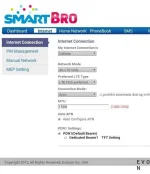
PHI can afford to pay but free is more fun anyhow I have a smart lte pocket wifi and kickstart sim and http injector and working ehi config from here thanks boys, connection is okay but I can reach only smarts webload page, my ip is always smarts on every ehi I try can that be the problem? PLS help you clever boys
Here my log
[2016-11-04 09:06:06] Running on samsung SM-T210 (PXA986) samsung, Android API 19
[2016-11-04 09:06:06] Application version: 4.0.0 Build 54
[2016-11-04 09:06:06] Log Cleared
[2016-11-04 09:06:24] <strong>Using iptables</strong>
[2016-11-04 09:06:24] <strong>[START] service requested</strong>
[2016-11-04 09:06:24] Injector Service Started
[2016-11-04 09:06:24] Network Status: CONNECTED to WIFI "mam"
[2016-11-04 09:06:24] Local IP: 192.168.1.100
[2016-11-04 09:06:24] Starting listening local port: <b>8989</b>
[2016-11-04 09:06:25] Starting - Network Task
[2016-11-04 09:06:25] Listening for incoming connection
[2016-11-04 09:06:25] Start tunnel service
[2016-11-04 09:06:26] Buffer Size: Send: 16384 | Receive: 32768
[2016-11-04 09:06:26] Running - Proxy Thread
[2016-11-04 09:06:26] Running - Proxy Thread
[2016-11-04 09:06:26] Injecting
[2016-11-04 09:06:27] <strong>Status: 200 (Connection established)</strong> Successful - The action requested by the client was successful.
[2016-11-04 09:06:28] Hostkey fingerprint: 71:49:76:f0:66:3b:8a:55:11:2c:80:54:cf:72:fe:06
[2016-11-04 09:06:28] Key exchange algorithm: diffie-hellman-group-exchange-sha256
[2016-11-04 09:06:28] Using algorithm: aes256-ctr hmac-sha2-256
[2016-11-04 09:06:29] Password auth available
[2016-11-04 09:06:30] Authenticate with password
[2016-11-04 09:06:31] Forward Successful
[2016-11-04 09:06:31] Google DNS enabled
[2016-11-04 09:06:31] <strong>Connected</strong>
Here my log
[2016-11-04 09:06:06] Running on samsung SM-T210 (PXA986) samsung, Android API 19
[2016-11-04 09:06:06] Application version: 4.0.0 Build 54
[2016-11-04 09:06:06] Log Cleared
[2016-11-04 09:06:24] <strong>Using iptables</strong>
[2016-11-04 09:06:24] <strong>[START] service requested</strong>
[2016-11-04 09:06:24] Injector Service Started
[2016-11-04 09:06:24] Network Status: CONNECTED to WIFI "mam"
[2016-11-04 09:06:24] Local IP: 192.168.1.100
[2016-11-04 09:06:24] Starting listening local port: <b>8989</b>
[2016-11-04 09:06:25] Starting - Network Task
[2016-11-04 09:06:25] Listening for incoming connection
[2016-11-04 09:06:25] Start tunnel service
[2016-11-04 09:06:26] Buffer Size: Send: 16384 | Receive: 32768
[2016-11-04 09:06:26] Running - Proxy Thread
[2016-11-04 09:06:26] Running - Proxy Thread
[2016-11-04 09:06:26] Injecting
[2016-11-04 09:06:27] <strong>Status: 200 (Connection established)</strong> Successful - The action requested by the client was successful.
[2016-11-04 09:06:28] Hostkey fingerprint: 71:49:76:f0:66:3b:8a:55:11:2c:80:54:cf:72:fe:06
[2016-11-04 09:06:28] Key exchange algorithm: diffie-hellman-group-exchange-sha256
[2016-11-04 09:06:28] Using algorithm: aes256-ctr hmac-sha2-256
[2016-11-04 09:06:29] Password auth available
[2016-11-04 09:06:30] Authenticate with password
[2016-11-04 09:06:31] Forward Successful
[2016-11-04 09:06:31] Google DNS enabled
[2016-11-04 09:06:31] <strong>Connected</strong>