 PH
PHmossimosketcher
Eternal Poster
AOMEI Partition Assistant 10.4.1 + WinPE Free Downlaod : ZIP PASSWORD 123
Download


Product Information
File Name AOMEI Partition Assistant 10.4.1 MultilingualCreated By You do not have permission to view the full content of this post. Log in or register now.
Version 10.4.1
License Type full_version
Release Date July 4, 2024
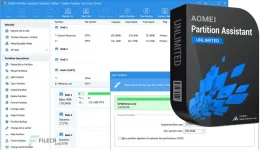
Overview of AOMEI Partition Assistant
AOMEI Partition Assistant is specially designed for IT professionals, system administrators, technicians, and consultants to serve new revenue streams by providing charged technical services to their clients. It is a valuable and independent hard disk partition management toolkit. Also, it is available for internal usage to manage large distributed groups of PCs and servers at multiple locations.The Technician Edition includes all features of AOMEI Partition Assistant and enjoys lifetime free upgrades to every latest version. A single technician can use one license to register the program on PCs and servers of unlimited company machines and individuals.
Specifically designed for larger enterprise environments, the Unlimited Edition provides an all-in-one disk partitioning solution and flexible complex disk management. It includes all features from this program and grants you the right to install it on all computers belonging to your company, regardless of their locations.
The Pro version has more features than Standard Edition. It is designed for PC, workstation, commercial, and advanced users willing to pay for the excellent product.
Features of AOMEI Partition Assistant
- Resize and move partitions without data loss.
- Merge adjacent partitions into one.
- Merge unallocated space into a partition.
- Split one big partition into two or more.
- Allocate free space from one partition to another.
- Copy (Clone) partition to the new hard drive.
- Align partition to boost performance and lifespan of disk.
- Change partition type ID and change serial number.
- Linux partition management: create, delete, format, wipe, copy, recover Ext2/Ext3 partition, etc.
- Create more partitions even without unallocated space.
- Delete, format, and wipe partitions easily.
- Convert primary to logical partition and vice versa.
- Convert the FAT partition to the NTFS file system.
- Change the partition label and drive letter.
- Hide and check partition, wipe unallocated space.
- Set active partition and view partition properties.
- Improved algorithm to ensure a faster and safer process of moving partitions.
- Enhanced data protection technologies to keep data safe.
- The flexible and adjustable drag & drop interface makes the complicated simple.
- Preview any partitioning tasks before applying them to the hard disk.
- Provide the option to shut down the computer after completing all operations.
- Support all hardware, such as RAID 0, 1, 5, 10, etc.
- Support virtual disk partition in VMware, VirtualBox, and Virtual PC.
- Support most HDD standards, such as IDE, SCSI, SATA, SAS, SSD, USB 1.0/2.0, IEEE 1394 (FireWire)
- Support removable devices, such as USB flash drives (New!), memory cards, memory sticks, and so on.
- Support file systems, including FAT, FAT32, and NTFS.
- New! Support MBR disk and GPT disk up to 4TB.
- Support up to 32 disks in one system.