PH
PHwala Ng Paligoy Ligoy Pa I-massgrave Na Natin Si Idm 
1. Download Ng Idm Official Website Nila : You do not have permission to view the full content of this post. Log in or register now.
2. Once Na Na-download Nyo Na "Idm" Open Nyo Yung "Windows Powershell / Terminal"
3. I-type Mo O I-copy Mo Itong Command Na To : irm You do not have permission to view the full content of this post. Log in or register now. | Iex
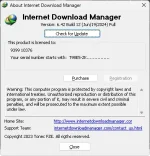
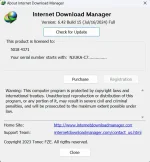
4. Pagka Open Ng Terminal Choose Activate Idm Or Much Better "freeze Trial" Nyo Nalang
Yung Lang Maraming Salamatsss
feedback Is Required !!!
1. Download Ng Idm Official Website Nila : You do not have permission to view the full content of this post. Log in or register now.
2. Once Na Na-download Nyo Na "Idm" Open Nyo Yung "Windows Powershell / Terminal"
3. I-type Mo O I-copy Mo Itong Command Na To : irm You do not have permission to view the full content of this post. Log in or register now. | Iex
4. Pagka Open Ng Terminal Choose Activate Idm Or Much Better "freeze Trial" Nyo Nalang
Yung Lang Maraming Salamatsss
feedback Is Required !!!