 PH
PHYou do not have permission to view the full content of this post.
Log in or register now.
You do not have permission to view the full content of this post. Log in or register now.
Hi all,
I recently uploaded the firmware or stock rom for Cherry Mobile Flare S3 Lite, credits to the maker of this file. To Cherry Mobile Flare S3 Lite FB Group thank you.
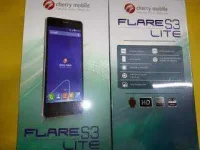
If you have any problem with your Cherry Mobile Flare S3 Lite you can join the FB Group for better assistance.
I have already tested the file and it is 100% rooted, the firmware is also pre-rooted with Kingroot installed.
UPDATE -- THE DOWNLOAD LINK IS FOR DTC GT5S FIRMWARE. ILL CHANGE THE LINK LATER.
UPDATE 2 -- UPDATED THE CORRECT LINK FOR THE FIRMWARE
"If you are having hard time to download at datafilehost make sure that you UNCHECK the "Download with Secured Download Manager"
TOOLS
ResearchDownload --> You do not have permission to view the full content of this post. Log in or register now.
Firmware --> You do not have permission to view the full content of this post. Log in or register now.
Firmware --> You do not have permission to view the full content of this post. Log in or register now.
Firmware --> You do not have permission to view the full content of this post. Log in or register now.
Firmware --> You do not have permission to view the full content of this post. Log in or register now.
Firmware --> You do not have permission to view the full content of this post. Log in or register now.
Driver -- > You do not have permission to view the full content of this post. Log in or register now.
"Extract to your desired folders"
DOWNLOAD THE FILES, AND EXTRACT. INSTALL DRIVER.
I suggest to use Windows with 32bit system for driver compatibility.
TO fully flash your phone.
1. Open Researchdownload
2. Load packet and look for file the .pac file.(first button in ResearchDownload). Pac file is the firmware that you downloaded.
3. Wait until the Pac file has been loaded, the Researchdownload may freeze its ok just wait for it to load the pac file.
4. Press the Play button to continue flashing.
When connecting your phone in the PC after you press the Play button in Research Download, press and hold either VOLUME UP or VOLUME DOWN, or you can press VOLUME UP and VOLUME DOWN simultaneously.
5. Just wait for it to show pass in ResearchDownload. Your phone will automatically reboot. And just wait for it. It may take 3 minutes to fully boot the system.
I hope this tutorial help you recover your phone
You do not have permission to view the full content of this post. Log in or register now.
Hi all,
I recently uploaded the firmware or stock rom for Cherry Mobile Flare S3 Lite, credits to the maker of this file. To Cherry Mobile Flare S3 Lite FB Group thank you.
If you have any problem with your Cherry Mobile Flare S3 Lite you can join the FB Group for better assistance.
I have already tested the file and it is 100% rooted, the firmware is also pre-rooted with Kingroot installed.
UPDATE -- THE DOWNLOAD LINK IS FOR DTC GT5S FIRMWARE. ILL CHANGE THE LINK LATER.
UPDATE 2 -- UPDATED THE CORRECT LINK FOR THE FIRMWARE
"If you are having hard time to download at datafilehost make sure that you UNCHECK the "Download with Secured Download Manager"
TOOLS
ResearchDownload --> You do not have permission to view the full content of this post. Log in or register now.
Firmware --> You do not have permission to view the full content of this post. Log in or register now.
Firmware --> You do not have permission to view the full content of this post. Log in or register now.
Firmware --> You do not have permission to view the full content of this post. Log in or register now.
Firmware --> You do not have permission to view the full content of this post. Log in or register now.
Firmware --> You do not have permission to view the full content of this post. Log in or register now.
Driver -- > You do not have permission to view the full content of this post. Log in or register now.
"Extract to your desired folders"
DOWNLOAD THE FILES, AND EXTRACT. INSTALL DRIVER.
I suggest to use Windows with 32bit system for driver compatibility.
TO fully flash your phone.
1. Open Researchdownload
2. Load packet and look for file the .pac file.(first button in ResearchDownload). Pac file is the firmware that you downloaded.
3. Wait until the Pac file has been loaded, the Researchdownload may freeze its ok just wait for it to load the pac file.
4. Press the Play button to continue flashing.
When connecting your phone in the PC after you press the Play button in Research Download, press and hold either VOLUME UP or VOLUME DOWN, or you can press VOLUME UP and VOLUME DOWN simultaneously.
5. Just wait for it to show pass in ResearchDownload. Your phone will automatically reboot. And just wait for it. It may take 3 minutes to fully boot the system.
I hope this tutorial help you recover your phone