PH
PHdandanzoy2k15
Forum Expert
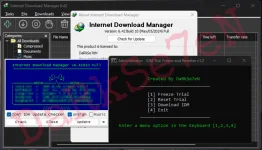
Overview of Internet Download Manager IDM
Internet Download Manager or IDM is an advanced download manager software that makes it easier to manage your downloaded files with the intelligent system, this program will speed up the downloading of files with its new technology, and according to the manufacturer, It can download up to 5 times faster than usual.Video downloading from almost all video streaming platforms is the best feature of Internet Download Manager. IDM lets you download videos from websites like YouTube, Daily Motion, Vimeo, etc. The video download button will appear automatically when you watch videos; click on it and quickly grab the video in your required SD or HD quality.
Features of Internet Download Manager IDM
- Full compatibility with Internet Explorer, Netscape, Google Chrome, AOL, Opera, Mozilla Firefox, Mozilla Firebird, Avant Browser, MyIE2, and other popular browsers.
- Download FLV video files from YouTube, Google Video, and MySpaceTV.
- Increase download speed up to 5x by Smart File Splitting System
- Limiting download speed for specific files
- Preview the contents of zip and RAR files before downloading them
- Advanced group scheduling and file queuing to suit your needs
- The ability to continue downloading to stop and continue downloading at another time without losing downloaded values
- Supports Drag & Drop to add links to the queue
- Ability to download all contents of a site using Grabber or a specific file format on that site
- Supports HTTP, FTP, MMS, and HTTPS protocols
- Prevent downloading duplicate files that have already been downloaded
- Auto-scan downloaded files with an anti-virus
- Specific timing to disconnect from the Internet or turn off the computer when the download is complete
- Customize the user interface and support various skins
- Get files organized in different formats
System Requirements and Technical Details
- Supported OS: Windows 11, Windows 10, Windows 8.1, Windows 7
- RAM (Memory): 2 GB RAM (4 GB recommended)
- Free Hard Disk Space: 200 MB or more
You do not have permission to view the full content of this post. Log in or register now.