PH
PHExecute the ff cmd's
Open termux: run this command in home directory
wget -O install_and_setup.sh https://github.com/ARSecurityTeam/TermuxServer/blob/main/install_and_setup.sh?raw=truechmod +x install_and_setup.sh./install_and_setup.shOnce done => serve:
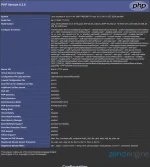
cd www/php -S localhost:8080go to your browser type/visit the url You do not have permission to view the full content of this post. Log in or register now.