 PH
PHMyZephyrNej
Enthusiast
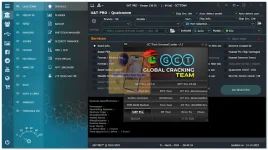
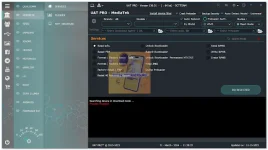
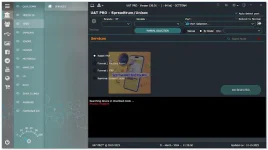
How to install and use it?
DOWNLOAD NYO PO MUNA ANG GCT PACK SUNDAN ANG VIDEO TUTORIAL SA PAG-INSTALLLINK NG GCT PACK : https://phcorner.org/threads/gct-pack-2024-by-ram_ram_ji-100-working-100-free.1955242/#post-27932137
- First, download the given file from the below link
- Extract files all content at "C:\Global_Cracking_Team\Universal_Loader" if you have previously installed the GCT Pack then appear in this location, otherwise, you can self-create the folder and past all files there, also extract all files on the desktop and run from there
- Now install the UAT PRO 156.01 setup on your computer which I have shared the link below
You do not have permission to view the full content of this post. Log in or register now. - Open the folder and run the "PROJECT_FOR_SHREE_RAM.exe"
You do not have permission to view the full content of this post. Log in or register now. - Next, Click on the "RAM RAM JI" button and execute the next step
You do not have permission to view the full content of this post. Log in or register now. - Next windows pop up with lots of options simply click on the "UAT PRO" and wait to open the tool
You do not have permission to view the full content of this post. Log in or register now. - The next window opens the UAT Tool login menu simply enter the email and password, which I have given you below, and log in to the tool.
You do not have permission to view the full content of this post. Log in or register now. - Once you click the login button it is processed to open the tool (Note: it takes 1-2 minutes to open the tool) - Mejo matagal to magopen bsta antayin nyo lang, wait nyo lang hanggang sa maclick nyo na yung LOGIN.
- once the tool is open you can connect your device to the computer and enjoy the tool features without any ρáíd tool.
Login Details
- Username: gct_user@gmail.com
- Password: softwarecr4ckguru.com - change "4" to "a"
TESTED KO TO ALMOST LAHAT GUMAGANA. VERY USEFUL TO SA MGA TECHNICIAN OR NAG-DIY NG CP. "BACKUP" LANG LAGI PARA IWAS SAKIT SA ULO.
