 PH
PHMalamang marami na nakakaalam nito but i will share it anyway.
How i use split screen in my Android 12L Phone.
How i use split screen in my Android 12L Phone.
- Open mo yung 1st app mo.
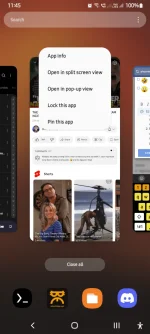
- Punta ka sa recent tab (yung 3 lines ng phone screen mo)
- Click mo yung logo ng apps na binuksan mo at iclick ang "Open in Split Screen View"
- After clicking, lalabas yung installed apps na nasa phone mo.
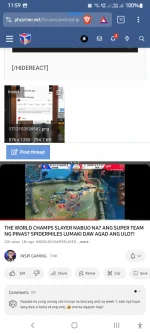
- Click mo na yung apps na gusto mong buksan.Example: yung Brave browser ko at Youtube both nakaopen.sa akin.


