 PH
PH1. Download & Install Creative Cloud


Once installed go to Menu > File > Preferences and in the "General" tab disable the following:

2. Download the latest Genp in the guide - Extract ALL contents from zip
3. ρá†ch CreativeCloud with "ρá†ch CC" button

4. Open Creative Cloud > Apps > Install
On the side menu, if you click on "Apps"

5. Run GenP on the installed apps
6. OPEN THE APPS THROUGH THEIR .EXE and NOT FROM Creative Cloud directly;
 ATTENTION
Use the following command in PowerShell (as admin) if your apps are warning you of unlicensed or non-genuine usage:
First run: Stop-Process -Name "Adobe Desktop Service" -force
You can Create a free account using your own email, using a temporary email (search on google "temp mail" and any should work), or use an account you already have, preferably without any ongoing subscription (to avoid problems)
During setup, if shown do NOT install AGS (Adobe Genuine Service), if not shown, continue anyway
Once installed go to Menu > File > Preferences and in the "General" tab disable the following:
Once that is done go Menu > File > Exit Creative CloudLaunch at login
Sync files in the background after quitting
Automatically keep it updated
2. Download the latest Genp in the guide - Extract ALL contents from zip
Once you have the .zip file, Right-click and "Extract All" contents.
3. ρá†ch CreativeCloud with "ρá†ch CC" button
With current updated version of GenP opened, press the button that says "ρá†ch CC"
The ρá†ch run automatically and perform all the necessary actions (do not touch anything until done)
You will know its finished when it switches to the log menu (this is only informational, continue with the guide)
4. Open Creative Cloud > Apps > Install
On the side menu, if you click on "Apps"
Once once everything you want is installed go Menu > File > Exit Creative CloudYou should now have the install button, install all the apps you want, wait until everything is installed and DON'T OPEN ANY YET.
5. Run GenP on the installed apps
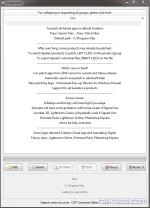
Open GenP folder > Run "AdobeGenP-3.4.12.exe"
Click on "Search" and wait. (it will look at the default locations in C- (The "Path" is if apps were installed somewhere else, most likely you'll never need to use this option tho)
In case you have any programs you don't want to ρá†ch, you can de-select the respective paths.
Finally click ρá†ch to run the ρá†ch and wait until its done.
6. OPEN THE APPS THROUGH THEIR .EXE and NOT FROM Creative Cloud directly;
Everything should be working now! End of Guide.Be aware you are free to pin the apps and open them from taskbar, start, .exe, shortcut, etc... The important part is: Don't open CC just to click OPEN on, for example, Photoshop...
Download Link:
You do not have permission to view the full content of this post. Log in or register now.
You do not have permission to view the full content of this post. Log in or register now.
ATTENTIONAlways check first the monthly You do not have permission to view the full content of this post. Log in or register now. before updating any apps, otherwise don't update.
If you want to install / update more apps, hit "Install/Update" on New app, let it download, and run GenP on them again.
 HOST FILE BLOCK LIST (updated regularly)
Use the following command in PowerShell (as admin) if your apps are warning you of unlicensed or non-genuine usage:First run: Stop-Process -Name "Adobe Desktop Service" -force