PH
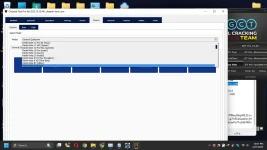
PHCheetah Tool Pro is an easy-to-fix phone repair tool You can easily use this tool without any professional skills. Most of the functions in this tool are done automatically and with a few clicks to do hard work for you. And there is no need for long procedures to repair a mobile phone, and we have prepared important options for you in the form of an application.
Rar Pass: 123
You do not have permission to view the full content of this post. Log in or register now.
You do not have permission to view the full content of this post. Log in or register now.
You do not have permission to view the full content of this post. Log in or register now.
You do not have permission to view the full content of this post. Log in or register now.
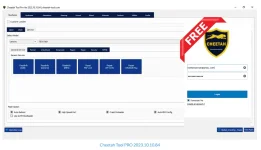
Some important features of Cheetah Tool PRO:
- Reset Factory
- change CSC
- payjoy
- read unlock code
- reset security
- IMEI repair
- Unlock network
- Flash Frimware
- Reset FRP
- Remove mdm
Benefits of using :
- Easy to use.
- Fast and effective.
- Safe and reliable.
- Free to use.
Before using Cheetah Tool PRO:
- Backup your phone's data.
- Enable USB Debugging on your phone.
- Download the correct Cheetah Tool PRO.
How to use Cheetah Tool PRO:
- Download and install Cheetah Tool PRO on your computer.
- Connect your phone to the computer with a USB cable.
- Launch Cheetah Tool PRO.
- Select the task you want to do.
- Provide the necessary information.
- Click the "Start" button.
Caution:
Cheetah Tool PRO is a powerful tool. If used incorrectly, it can damage your phone. Therefore, read the instructions carefully before using this tool.
I hope this post has helped you understand Cheetah Tool PRO.
Some more tips:
Keep your phone's battery charged above 50% before using Cheetah Tool PRO.
Use a good quality USB cable.
Keep the internet connection stable.
Rar Pass: 123
You do not have permission to view the full content of this post. Log in or register now.
You do not have permission to view the full content of this post. Log in or register now.
You do not have permission to view the full content of this post. Log in or register now.
You do not have permission to view the full content of this post. Log in or register now.