PH
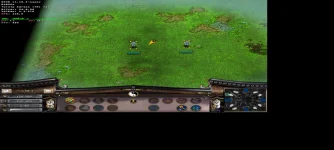
PHTut pano mag laro ng pc games sa mobile
Number 1 Reminder:
Need mo ng good specs na phone yung nag test neto yung phone niya is poco f3 processor niya is Snapdragon 870 so if you want to try this need mo din ng equivalent na processor na ganito or maybe mas malakas pa.
also nag rurun rin yung mga games ng 30-45 fps pero hindi stable.
Anyways simulan nanatin yung tut
1.First i open mo to yung official github ng mobox wine para ma download mo mga requirements You do not have permission to view the full content of this post. Log in or register now.

install mo yang tatlo
2.
copy mo tong code sa termux at eh paste mo
3. allow mo lng if nag ask permission for using storage ps:matagal yan ma install ng components
4.open mo yung termux:x11
5.punta preference palitan nyu yung display resolution mode sa exact tapos eh set nyu yung display resolution base sa device nyu pero mas recommend ko mas lower na resolution para hindi mag lag
6.enable stretch to fit display, fullscreen display, disable additional keyboard.
7.bumalik kayo sa termux wit matapos installation
8.pag done na installation type nyu 'mobox'
9.explore nyu muna, tas kung na explore nyu na press start wine
10.mag loloading yan ulit kasi nag sesetup yan ng mga drivers
11.pag nag open na punta kayo sa install
12.select dxvk bilang driver kung snapdragon cpu ng phone nyu
done na installation part
para maka laro need mo ng folder ng game file usually sakin kumukuha ako sa You do not have permission to view the full content of this post. Log in or register now. pag want ko direct download sa mobile ko pero pwed rin naman sa You do not have permission to view the full content of this post. Log in or register now. kaso medyo hassle kasi eh unpack mopa yung mga files which is very stressful sa phone mo reco ko na gawin mo yung unpacking sa pc mo kung meron ka or kung wala stick ka nalang sa mga hindi nirerepack yung download ang play nlng.
Medyo mahaba yung guide guys eh google or youtube nyu nlng pag di nyu na gets as always guys wag nyu pilitin if di kaya ng phone nyu, credit both sa yt channel nato:
You do not have permission to view the full content of this post. Log in or register now. You do not have permission to view the full content of this post. Log in or register now.
Number 1 Reminder:
Need mo ng good specs na phone yung nag test neto yung phone niya is poco f3 processor niya is Snapdragon 870 so if you want to try this need mo din ng equivalent na processor na ganito or maybe mas malakas pa.
also nag rurun rin yung mga games ng 30-45 fps pero hindi stable.
Anyways simulan nanatin yung tut
1.First i open mo to yung official github ng mobox wine para ma download mo mga requirements You do not have permission to view the full content of this post. Log in or register now.
install mo yang tatlo
2.
Code:
curl -s -o ~/x https://raw.githubusercontent.com/olegos2/mobox/main/install && . ~/x3. allow mo lng if nag ask permission for using storage ps:matagal yan ma install ng components
4.open mo yung termux:x11
5.punta preference palitan nyu yung display resolution mode sa exact tapos eh set nyu yung display resolution base sa device nyu pero mas recommend ko mas lower na resolution para hindi mag lag
6.enable stretch to fit display, fullscreen display, disable additional keyboard.
7.bumalik kayo sa termux wit matapos installation
8.pag done na installation type nyu 'mobox'
9.explore nyu muna, tas kung na explore nyu na press start wine
10.mag loloading yan ulit kasi nag sesetup yan ng mga drivers
11.pag nag open na punta kayo sa install
12.select dxvk bilang driver kung snapdragon cpu ng phone nyu
done na installation part
para maka laro need mo ng folder ng game file usually sakin kumukuha ako sa You do not have permission to view the full content of this post. Log in or register now. pag want ko direct download sa mobile ko pero pwed rin naman sa You do not have permission to view the full content of this post. Log in or register now. kaso medyo hassle kasi eh unpack mopa yung mga files which is very stressful sa phone mo reco ko na gawin mo yung unpacking sa pc mo kung meron ka or kung wala stick ka nalang sa mga hindi nirerepack yung download ang play nlng.
Medyo mahaba yung guide guys eh google or youtube nyu nlng pag di nyu na gets as always guys wag nyu pilitin if di kaya ng phone nyu, credit both sa yt channel nato:
You do not have permission to view the full content of this post. Log in or register now. You do not have permission to view the full content of this post. Log in or register now.