 PH
PHHuh_Yun_Jin
Elite
Finding and removing You do not have permission to view the full content of this post. Log in or register now. from your disk will help you free up your disk space and manage your data more efficiently. Wise Duplicate Finder is a good choice for this job, it scans the entire disk or folder to find duplicate documents (Microsoft Word, Excel, Powerpoint, PDF, text,..), images, audios, videos, and so on. This software provides three compare modes: Match name and size, Partial match, and Exact match for different demands.
You do not have permission to view the full content of this post. Log in or register now.
1. Download the installer for Wise Duplicate Finder . Run the installer.
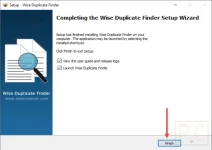
2.When the installation is done, launch it and enjoy this software for free without a registration code (this is a pre-registered installer)
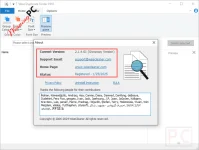
Wise Duplicate Finder PRO main screenshot: select a compare mode and add disk/folder to get started. You have 3 compare modes for choosing, these ways have different results. The minimum and maximum values are used to limit the size of duplicate files, the default value (-1) means there is no limitation:

View tab: change group color or font size for scanning results, you also activate the preview panel to preview duplicate files before deleting/moving them:

Options tab: to prevent any accidents, you should choose the “delete files to Recycle Bin” and backup/restore option.

Wise Duplicate Finder PRO Features
Feature Highlights- Support any type of duplicates to manage
You do not have permission to view the full content of this post. Log in or register now. can locate and remove duplicate files for documents, photos, songs, and movies. It supports almost file types, including common file types that are used by home users and specialized file formats. - Empty files or zero-size files
This tool can find them for you and delete them. - Delete duplicate copies manually or automatically
You have full control to remove duplicate files. After the scan process is finished, the software will show you the results in groups. You can decide to copy, rename or delete these files. - Backup and restore
If you get a mistake, you can use the restore function to recover the deleted files with a click. - Windows standard UI
The software interface really looks like a Microsoft application.
 LINK
LINK You do not have permission to view the full content of this post. Log in or register now.

