 PH
PHDVDFab v13.0.1.2 (x64) + Craack

DVDFab Overview
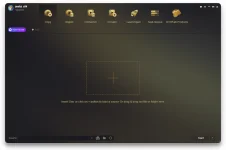
DVDFab is the most powerful and flexible DVD or Blu-ray copying, ripping, creating and burning software. Also it’s a fantastic file converter which can rip and convert DVD/Blu-ray movies or transfer your files to various portable devices. DVDFab supports all popular video and audio formats, HD video and almost all multimedia devices. This software is simply the easiest way to copy a DVD/ Blu-ray movie. It can copy any DVD or Blu-ray disc with Cinavia watermark, and create a protected disc (BDMV-REC) to disable Civania for playback on PS3. Your entire movie – including menus, trailers and special features – is copied to a single DVD/ Blu-ray with just one click, and everything happens automatically. Backup your entire DVD/ Blu-ray – including menus, trailers, and special features – onto one or multiple discs.
Key Features of DVDFab
DVD Copy makes backup DVDs in an easy and fast manner. Copy, rip, clone, split, merge, burn, customize, and more.
Blu-ray Copy backs up Blu-rays easily and fast. Copy, rip, clone, burn, write data and more.
DVD Ripper can rip or convert any DVD movie for playback on popular portable and mobile devices, smart phones, tablets, and more.
Blu-ray Ripper (3D Plus) can rip or convert any Blu-ray movie to various formats that are compatible with portable and mobile devices, smart phones, tablets, and more.
DVD Creator allows you to create your own DVD discs/ ISO files/ folders from a variety of videos downloaded from Internet, taken by camcorders, etc.
Blu-ray Creator converts nearly all sorts of videos into Blu-ray format and saves them as Blu-ray ISO files and folders, and even into BDs.
Video Converter can convert videos from one format into almost any other standard format, so that you can view them on different devices.
2D to 3D Converter working together with DVD Ripper, Blu-ray Ripper or Video Converter, converts 2D DVD/Blu-ray/video into 3D format.
INSTRUCTIONS
1. Install software using given installer (in Setup folder)
2. Close program if running (Even from system tray)
3. Extract "Craack.zip" file and Copy its content to program's installation folder (confirm replacing, if asked)
4. That's it, Enjoy!
LINKS
You do not have permission to view the full content of this post. Log in or register now. | You do not have permission to view the full content of this post. Log in or register now.
DVDFab Overview
DVDFab is the most powerful and flexible DVD or Blu-ray copying, ripping, creating and burning software. Also it’s a fantastic file converter which can rip and convert DVD/Blu-ray movies or transfer your files to various portable devices. DVDFab supports all popular video and audio formats, HD video and almost all multimedia devices. This software is simply the easiest way to copy a DVD/ Blu-ray movie. It can copy any DVD or Blu-ray disc with Cinavia watermark, and create a protected disc (BDMV-REC) to disable Civania for playback on PS3. Your entire movie – including menus, trailers and special features – is copied to a single DVD/ Blu-ray with just one click, and everything happens automatically. Backup your entire DVD/ Blu-ray – including menus, trailers, and special features – onto one or multiple discs.
Key Features of DVDFab
DVD Copy makes backup DVDs in an easy and fast manner. Copy, rip, clone, split, merge, burn, customize, and more.
Blu-ray Copy backs up Blu-rays easily and fast. Copy, rip, clone, burn, write data and more.
DVD Ripper can rip or convert any DVD movie for playback on popular portable and mobile devices, smart phones, tablets, and more.
Blu-ray Ripper (3D Plus) can rip or convert any Blu-ray movie to various formats that are compatible with portable and mobile devices, smart phones, tablets, and more.
DVD Creator allows you to create your own DVD discs/ ISO files/ folders from a variety of videos downloaded from Internet, taken by camcorders, etc.
Blu-ray Creator converts nearly all sorts of videos into Blu-ray format and saves them as Blu-ray ISO files and folders, and even into BDs.
Video Converter can convert videos from one format into almost any other standard format, so that you can view them on different devices.
2D to 3D Converter working together with DVD Ripper, Blu-ray Ripper or Video Converter, converts 2D DVD/Blu-ray/video into 3D format.
INSTRUCTIONS
1. Install software using given installer (in Setup folder)
2. Close program if running (Even from system tray)
3. Extract "Craack.zip" file and Copy its content to program's installation folder (confirm replacing, if asked)
4. That's it, Enjoy!
LINKS
You do not have permission to view the full content of this post. Log in or register now. | You do not have permission to view the full content of this post. Log in or register now.
