PH
PHrainych_ran
Contributor
You often sign into a device using your Gmail account and forget to sign out. Or you share your account’s password with someone you trust but don’t change it later. These are just some of the many ways you compromise the safety of your Gmail account and let someone access it without you even knowing about it. This guide looks at various methods to identify if someone else is using your Gmail account.
How to Know if Someone Else Is Using Your Gmail Account
There are often signs that your Gmail account has been häçked. Emails you didn’t send, complaints from contacts that you sent them spam or malware, emails from organizations you never heard of confirming account creation, or something else entirely.
While indicative of something going on, they are far from definite. Fortunately, Google takes account safety and privacy very seriously and provides a tool to check your account’s activity.
1. Check Your Account’s Login Activity
Open Gmail and log into your account.
Scroll to the bottom of your Inbox page and find the Details link in the bottom right.
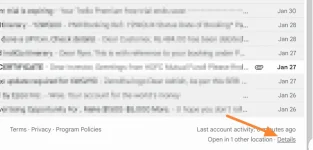
3. A pop-up page will display information about the last activity on this mail account and any concurrent activity.
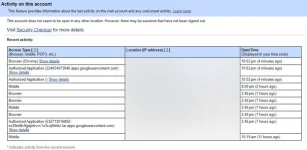
The page will display concurrent session information, including Access type (browser, mobile, POP3, IMAP, etc) and Location (IP address). It will also display Recent activity in a tabular format that shows Access type, IP address, and Date/time. Check through this to see if you notice anything suspicious.
If you don’t see the Details link at the bottom of your Gmail inbox, use the You do not have permission to view the full content of this post. Log in or register now..
2. Do a Security Check
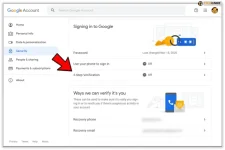
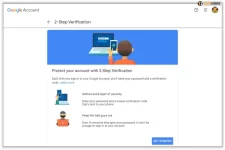
If you’re not convinced you have complete control over your Gmail account, there are a few more things to look out for. This includes checking for changes to your Gmail account name, contact information, 2-factor authentication, and recovery email. Additionally, it’s important to check if any other accounts connected to your Gmail account have been compromised.
You can also search your Trash folder for any emails that might have been sent by häçkers from your account.
3. Check for Unrecognized Devices
Lastly, visit your You do not have permission to view the full content of this post. Log in or register now. and look for any Security Alerts. Navigate through your devices and remove any older ones you no longer use or those you don’t recognize. If there is any, click on it and choose to sign out of the device.
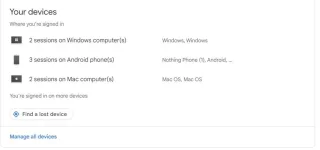
It may so happen that an old device that you had forgotten about may have been reaccessed, and you missed the notification. So, use a combination of date, device type, and other indicators to determine that the device is compromised.
What to Do if Your Gmail Has Been häçked
If you find anything wrong with the Security check and someone else is using your Gmail account, you must act quickly. The longer you wait, the more spam or malware they could send and the more photos or files they may download from your Google Drive.
You can do some simple things to lock your Gmail account down.
1. Change your Gmail password
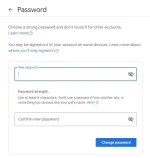
The first step is obviously to You do not have permission to view the full content of this post. Log in or register now.. This will prevent the häçker from being able to log back into your Gmail account to continue their nefarious work.
Go to your You do not have permission to view the full content of this post. Log in or register now..
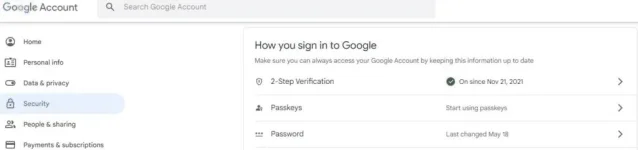
Select Signing in to Google and select Password.