 PH
PHJeaPrimeTV
Forum Veteran
First thing first, load the photos needed to be processed. Two tunnels here, “ADD IMAGES” and “ADD FOLDER”, are both easy to access photos.

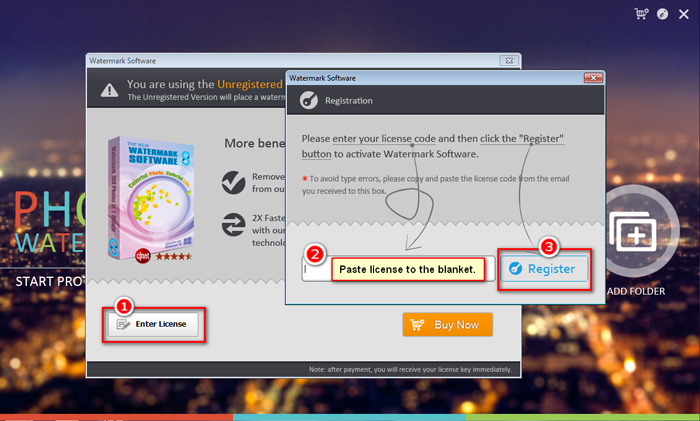
DOWNLOAD LINK
You do not have permission to view the full content of this post. Log in or register now.

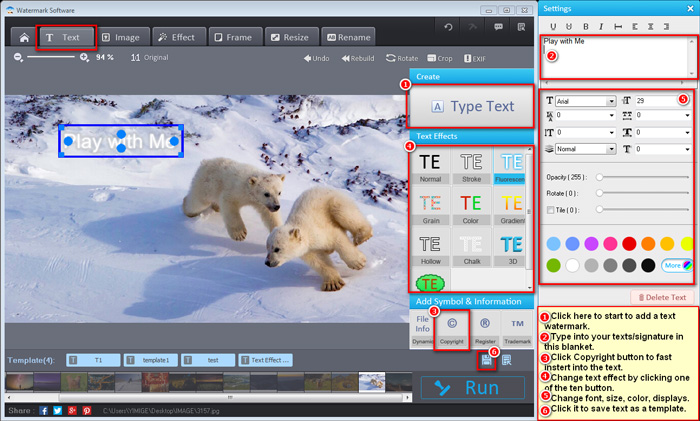
Watermark Tutorial - Add Text Watermark to Photos
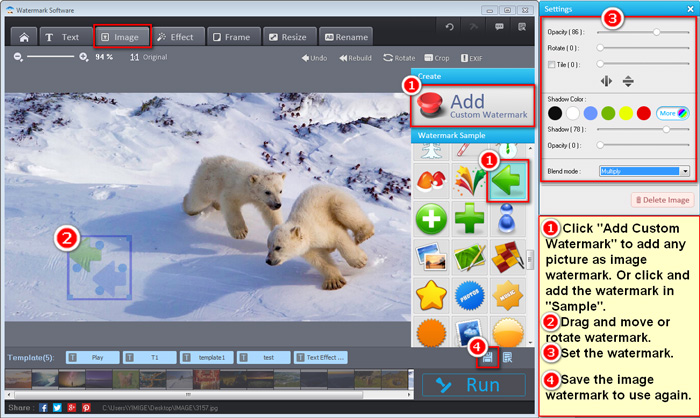
Watermark Tutorial - Apply Watermark with Image/Logo to Photos
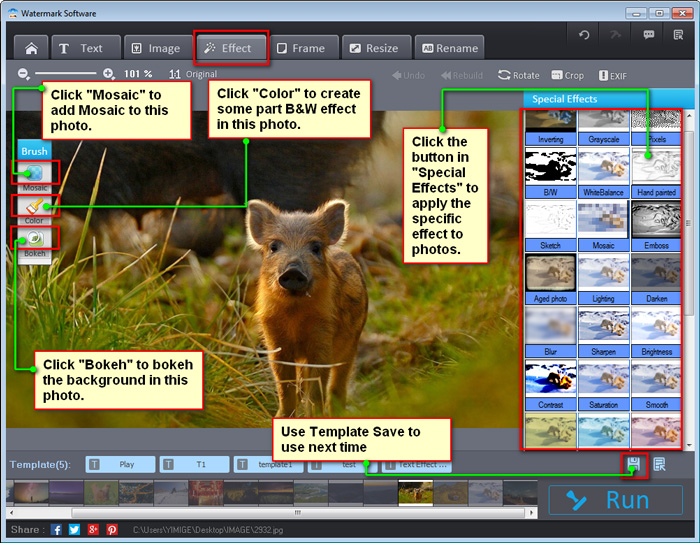
Watermark Tutorial - Add Effect to Photos
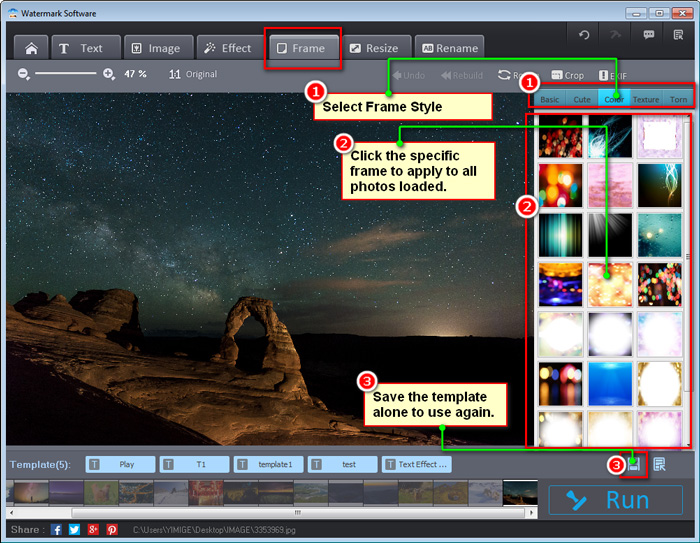
Watermark Tutorial - Add Frame to Photos
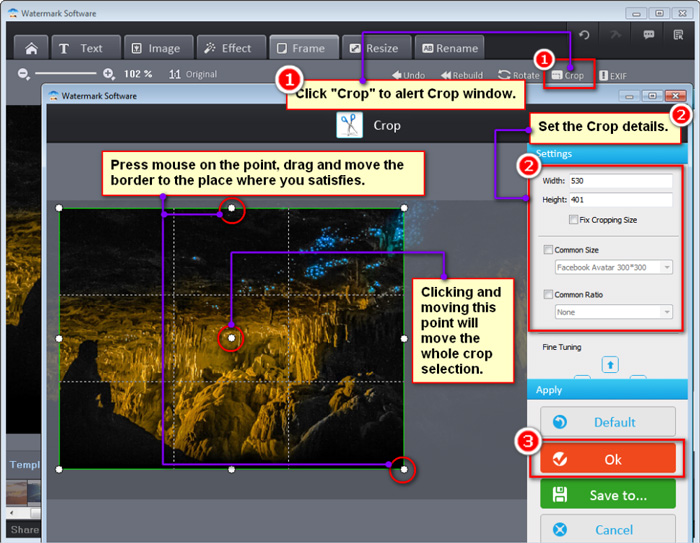
Watermark Tutorial - Crop Photos
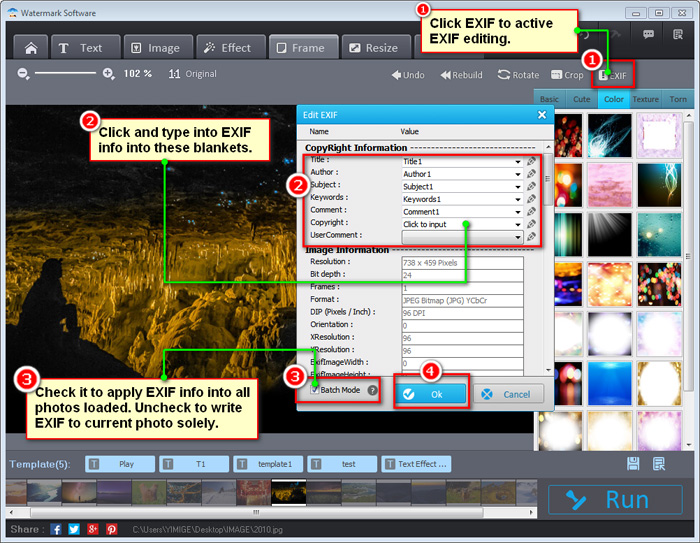
Watermark Tutorial - Add EXIF Information to Photos
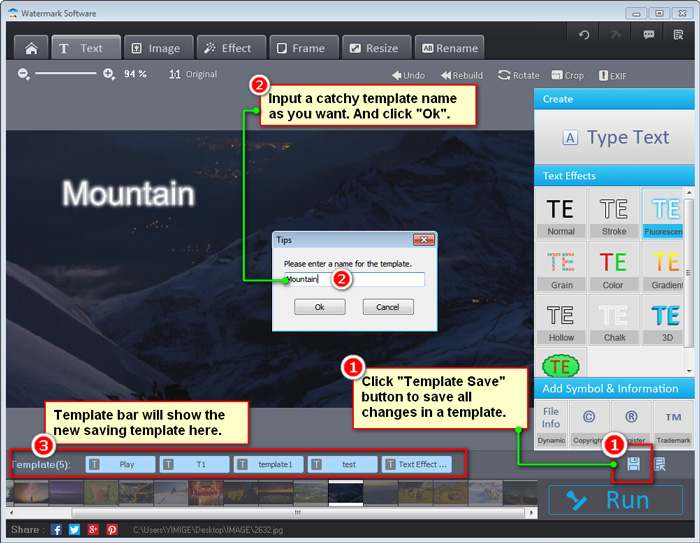
Watermark Tutorial - Save Template
WonderFox Photo Watermark Features
Feature Highlights- Secure protection with text watermark and image watermark
- Powerful photo editing functions
- Batch watermarking process and watermarking template
- Rich text effects for watermark
- Over 150 free watermark materials.
- Allow you to create your own watermark library
- Rename all your files with batch mode
- Browse for pictures as picture view software
- Convert from/to all pop photo formats like JPG, BMP, PNG, GIF, etc.
DOWNLOAD LINK
You do not have permission to view the full content of this post. Log in or register now.