 PH
PHPHC - Coffee
Eternal Poster
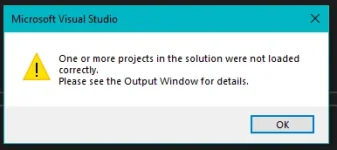
Mga Lods Pano po kaya gagawin ko dito Ita-try ko sana kasi ilipat yung Source Code ko sa from Server to another Computer pero pag ino-open ko ito nalabas
p-help mga lods
Thanks
baka po may kulang sa pag kaka copy mo na hinahanap ni .sln
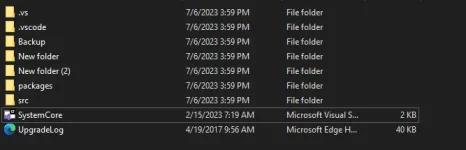
try mo open sa notepad yung systemcore. tignan lang naten laman
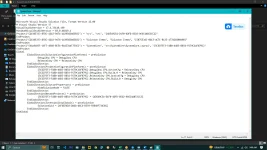
Try ko to LodsChange your explorer settings to Show File Extension & Open your VS under menu > File > Open a Project or Solution > open your file with *.csproj extension
View attachment 2865286
View attachment 2865288
C:\Users\Samsung IT PC\Desktop\SystemCore (UPDATEDDD)\src\SystemCore\SystemCore.csproj : error : The project file cannot be opened. Unable to locate the .NET SDK. Check that it is installed, your PATH is configured for the correct architecture, and that the version specified in global.json (if any) matches the installed version.Change your explorer settings to Show File Extension & Open your VS under menu > File > Open a Project or Solution > open your file with *.csproj extension
View attachment 2865286
View attachment 2865288
It seems like you're encountering an issue related to opening a project file and the .NET SDK. To troubleshoot this problem, you can follow these steps:Try ko to Lods
C:\Users\Samsung IT PC\Desktop\SystemCore (UPDATEDDD)\src\SystemCore\SystemCore.csproj : error : The project file cannot be opened. Unable to locate the .NET SDK. Check that it is installed, your PATH is configured for the correct architecture, and that the version specified in global.json (if any) matches the installed version.
Ito young lumalabasa Sa Output sa Baba Lods
global.json file, check if the specified version matches the installed version of the .NET SDK. Adjust the version in the global.json file if needed. dotnet --version
dotnet --list-sdks
