 PH
PHOfficeSuite Pr3mium v8.10.53791 (x64) + P@tch

OfficeSuite Premium Overview
An office suite that includes a word processor, a PDF editor and reader, a spreadsheet editor, and a presentation creator, all of them with modern and clean interfaces. When talking about Office suites, many of you might only point to Microsoft’s widely-known product. However, there are other alternatives that you can try out, especially if you are a home user. Very popular on mobile platforms, OfficeSuite has also shifted towards Windows, delivering a suite of office-related tools with a clean look and simple options.
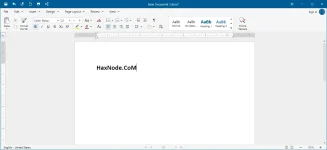
OfficeSuite has the familiar desktop interface you know and love. Don’t waste time getting used to a new layout, start working right away.
The professional PDF Editor offers full PDF-editing capabilities as good as anything Adobe Acrobat Reader can offer.
Key Features of OfficeSuite Premium
Documents
Writing is easy and collaborative. Let your creativity flow.
Sheets
Powerful spreadsheets for your professional needs.
Slides
Create stunning presentations to captivate audiences.
Mail
Control all your emails across accounts. Calendar included.
PDF Extra
A powerful editor and a comfortable reader. Combined.
Easy on the budget
OfficeSuite is ready to meet the demands of any household or small to medium enterprise for the best price out there.
Advanced PDF capabilities
Add or Delete PDF pages. Manage text and images with ease, then quickly convert your PDF file to Word, Excel, or ePub files with a single click.
Multiple cloud services
Access and sync all your files on MobiSystems Drive, Box, Dropbox, Google Drive, OneDrive, and Amazon Cloud Drive.
100% Microsoft Office Compatible
Full compatibility with all popular formats including Microsoft Office (Word, PowerPoint, Excel, Txt), Google Docs, Google Sheets, Google Slides & Adobe PDF.
Support for common formats like OpenDocument (ODT, ODS, ODP), RTF, CSV & ZIP.
INSTRUCTIONS
1. Run installer from "Setup" folder and complete the installation.
2. Close program completely (even from system tray) and Copy p@tch to program's installation
3. Right click on p@tch and click "Run as administrator"
4. Click on "P@tch" (or craack) button and select the main executable file (if required)
5. That's it, Enjoy!
LINKS
You do not have permission to view the full content of this post. Log in or register now. | You do not have permission to view the full content of this post. Log in or register now.
OfficeSuite Premium Overview
An office suite that includes a word processor, a PDF editor and reader, a spreadsheet editor, and a presentation creator, all of them with modern and clean interfaces. When talking about Office suites, many of you might only point to Microsoft’s widely-known product. However, there are other alternatives that you can try out, especially if you are a home user. Very popular on mobile platforms, OfficeSuite has also shifted towards Windows, delivering a suite of office-related tools with a clean look and simple options.
OfficeSuite has the familiar desktop interface you know and love. Don’t waste time getting used to a new layout, start working right away.
The professional PDF Editor offers full PDF-editing capabilities as good as anything Adobe Acrobat Reader can offer.
Key Features of OfficeSuite Premium
Documents
Writing is easy and collaborative. Let your creativity flow.
Sheets
Powerful spreadsheets for your professional needs.
Slides
Create stunning presentations to captivate audiences.
Control all your emails across accounts. Calendar included.
PDF Extra
A powerful editor and a comfortable reader. Combined.
Easy on the budget
OfficeSuite is ready to meet the demands of any household or small to medium enterprise for the best price out there.
Advanced PDF capabilities
Add or Delete PDF pages. Manage text and images with ease, then quickly convert your PDF file to Word, Excel, or ePub files with a single click.
Multiple cloud services
Access and sync all your files on MobiSystems Drive, Box, Dropbox, Google Drive, OneDrive, and Amazon Cloud Drive.
100% Microsoft Office Compatible
Full compatibility with all popular formats including Microsoft Office (Word, PowerPoint, Excel, Txt), Google Docs, Google Sheets, Google Slides & Adobe PDF.
Support for common formats like OpenDocument (ODT, ODS, ODP), RTF, CSV & ZIP.
INSTRUCTIONS
1. Run installer from "Setup" folder and complete the installation.
2. Close program completely (even from system tray) and Copy p@tch to program's installation
3. Right click on p@tch and click "Run as administrator"
4. Click on "P@tch" (or craack) button and select the main executable file (if required)
5. That's it, Enjoy!
LINKS
You do not have permission to view the full content of this post. Log in or register now. | You do not have permission to view the full content of this post. Log in or register now.