 PH
PHBandicam v7.0.2.2138 (x64) + P@tch-K3ygen

Bandicam Overview
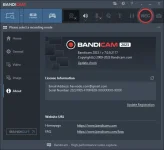
Bandicam makes it possible to record a certain area on a PC screen, or a program that uses the DirectX/OpenGL graphic technologies. Bandicam will help you carry out a video record with high compression ratio, while keeping the video quality closer to the original work, and provides performance far superior to other programs that provide similar functions.
Key Features of Bandicam
Bandicam can record DirectX/OpenGL programs like Fraps (Fraps Alternative, Better than Fraps)
The recorded file size is much smaller than other software (Bandicam compresses the video when recording)
You can upload the recorded file to YouTube without converting (720p/1080p full HD video can be made)
You can record over 24 hours without stopping (Auto Complete Recording function can be used)
You can record video at resolutions of up to 2560×1600 in high quality
You will experience much less lag than with other capture programs (It uses much lower CPU/GPU/HDD
==============
Instructions:
=============
1. Run installer from “Setup” folder and complete the installation.
2. Close program completely (even from system tray) and Copy p@tch to program’s installation
3. Right click on p@tch and click “Run as administrator”
4. Extract Craack zip and copy its content to program folder
5. Use the k3ygen for activ@tion
6. That’s it, Enjoy!
LINKS
You do not have permission to view the full content of this post. Log in or register now. | You do not have permission to view the full content of this post. Log in or register now.
Bandicam Overview
Bandicam makes it possible to record a certain area on a PC screen, or a program that uses the DirectX/OpenGL graphic technologies. Bandicam will help you carry out a video record with high compression ratio, while keeping the video quality closer to the original work, and provides performance far superior to other programs that provide similar functions.
Key Features of Bandicam
Bandicam can record DirectX/OpenGL programs like Fraps (Fraps Alternative, Better than Fraps)
The recorded file size is much smaller than other software (Bandicam compresses the video when recording)
You can upload the recorded file to YouTube without converting (720p/1080p full HD video can be made)
You can record over 24 hours without stopping (Auto Complete Recording function can be used)
You can record video at resolutions of up to 2560×1600 in high quality
You will experience much less lag than with other capture programs (It uses much lower CPU/GPU/HDD
==============
Instructions:
=============
1. Run installer from “Setup” folder and complete the installation.
2. Close program completely (even from system tray) and Copy p@tch to program’s installation
3. Right click on p@tch and click “Run as administrator”
4. Extract Craack zip and copy its content to program folder
5. Use the k3ygen for activ@tion
6. That’s it, Enjoy!
LINKS
You do not have permission to view the full content of this post. Log in or register now. | You do not have permission to view the full content of this post. Log in or register now.