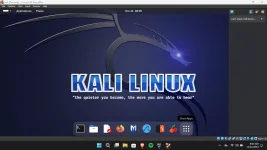
If you're encountering an error like "Error: Can't attach USB device" in VirtualBox when trying to connect a USB device to your Kali Linux virtual machine, there are several potential reasons and solutions you can try:
- USB Settings in VirtualBox:
- Make sure that the USB device is properly connected to your host machine.
- In VirtualBox, ensure that the USB device is not currently being used by the host. You may need to disconnect it from the host before connecting it to the virtual machine.
- USB Filters:
- In the settings of your virtual machine, go to the "USB" tab.
- Check if you have any USB filters enabled. USB filters can automatically connect certain USB devices to the virtual machine when it starts. If there are filters, try disabling them temporarily to see if that resolves the issue.
- USB Compatibility:
- In the settings of your virtual machine, go to "System" and then "Motherboard."
- Ensure that the "Enable I/O APIC" option is checked. Some USB issues may be resolved by enabling this option.
- USB Controller Type:
- In the settings of your virtual machine, go to "USB."
- Try changing the USB controller type. For example, if you are using USB 3.0, try switching to USB 2.0 or vice versa.
- VirtualBox Extension Pack:
- Ensure that you have the latest version of VirtualBox installed on your host machine.
- Install the VirtualBox Extension Pack that matches your VirtualBox version. The Extension Pack includes additional features, including support for USB 2.0 and 3.0 devices.
- User Permissions:
- Make sure that your user account has the necessary permissions to access USB devices. On Linux, you might need to be a member of the vboxusers group.
Code:
sudo usermod -aG vboxusers your_username
Replace your_username with your actual username, and restart your system.
- USB Drivers in Guest OS:
- Ensure that the necessary USB drivers are installed in your Kali Linux virtual machine. Sometimes, installing or updating the VirtualBox Guest Additions can help.
- Reconnect USB Device:
- Disconnect the USB device from your host machine, restart the virtual machine, and then try reconnecting the USB device.
Remember to safely eject the USB device from your host operating system before attaching it to the virtual machine.
If you've tried these steps and are still experiencing issues, please provide more details about the specific error message or any other relevant information for further assistance.
 PH
PH